
You cannot cheat with SMOWL without leaving some form of record. It is a question frequently asked by learners and organisations alike: can you cheat with SMOWL? For a training centre or a company assessing people remotely, the key question is which types of cheating an LMS should detect and what information is recorded to support an exam review.
For a training centre or a company, proctoring is part of the LMS already used to enrol learners, assess their work and award marks. SMOWL provides supervision and an incident report, while the LMS needs to keep that report linked to the learner (or employee) and the specific exam attempt. Without that connection, assessment integrity is only partly addressed: there is a camera, but no assessment environment that provides the traceability needed to review the evidence and make a decision.
The risks are real: a second device, someone else taking the exam, notes within view… As companies work to uphold assessment integrity and online exam security, SMOWL needs to detect these situations and produce a report that the training centre can access and link to the learner.
For the system to work effectively, you need to consider what the person taking the exam might attempt, the role of proctoring, what the LMS needs to support, and how SMOWL and the learning platform perform when many learners take an exam at the same time.
What is SMOWL and how does SMOWL work?
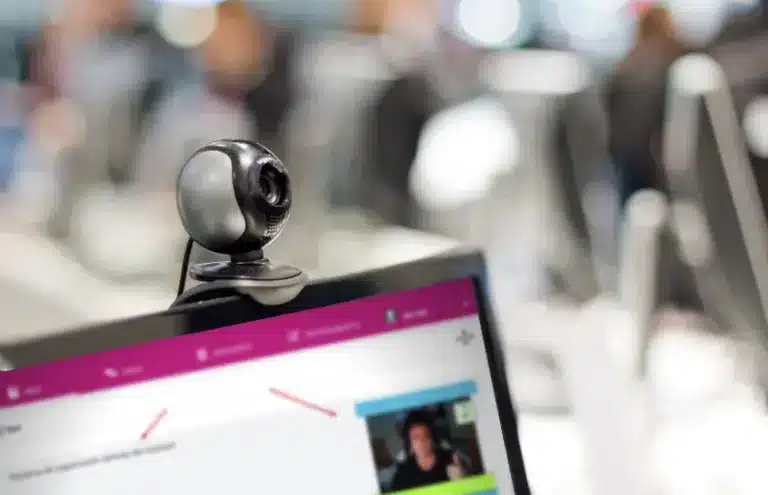
SMOWL is a tool that uses proctoring technology to monitor learners and prevent cheating in online assessments. The system verifies users’ identities and detects suspicious behaviour during the exam, such as the use of external devices or another person’s involvement.
As well as monitoring what happens during the assessment, SMOWL provides examiners with reports on participants’ behaviour, allowing them to review any incidents detected and link them to the relevant learner.
SMOWL is a solution developed by Smowltech, a Spanish company specialising in remote exam supervision and digital identity. It integrates with e-learning platforms, keeping incident reports in the same environment where the training centre already manages and assesses its learners. Without that integration, the monitoring report becomes a standalone PDF, separate from the rest of the assessment.
In evolCampus, biometric exam monitoring and supervision can be enabled for individual exercises, without having to apply them across the entire learning platform. Learner registration is managed through the platform’s own calendar.
How does it do this? What does SMOWL have access to?
SMOWL is a solution that requires no installation and works within the e-learning platform it integrates with. Its purpose is to authenticate the learner’s identity and monitor their activity during the exam using various signals, which are then compiled into a report for the training centre.
Among other things, SMOWL can:
- Authenticate identity: it uses random webcam snapshots and biometric patterns to check that the person taking the exam is the registered learner.
- Capture the exam environment: it analyses what appears on camera to detect potential issues, such as another person’s presence or unauthorised objects.
- Log other applications and devices: it can detect the use of other programs or devices during the assessment.
- Log websites: it records the websites accessed during the exam.
- Capture audio: it records sounds and conversations that may help identify an incident.
The training centre does not need to watch a live stream of the exam, as SMOWL automatically generates a report detailing incidents detected during the assessment, relating to identity, absences, objects, applications or audio.
Afterwards, the examiner reviews the information and decides whether an incident needs further investigation or affects the validity of the exam. This decision is not automated: it requires human judgement. That is why it is so important for the report to sit within the LMS, rather than in a separate system held by the provider.
Can you cheat in an online exam with SMOWL?

You cannot cheat with SMOWL without leaving a trace. As Smowltech itself explains in its answer to the question “can you cheat with SMOWL?”: “Whoever asks whether you can cheat with SMOWL, our answer is clear and unequivocal: NO.”
For those responsible for training, the key is to understand that this does not mean a learner cannot attempt to cheat. Rather, actions that could compromise the exam are logged as incidents for subsequent review:
- 1. Identification: the learner first logs in and identifies themselves on the platform, where facial recognition takes place at the outset.
- 2. Supervision: the learner’s behaviour is recorded during the assessment to check that they follow the rules.
- 3. Report: once monitoring has finished, the examiner receives a report containing evidence of whether the learner has cheated.
SMOWL combines facial recognition, behaviour monitoring and a report produced after the exam. This means that someone who cheats or attempts to cheat may be flagged in the report for an incident involving another person, a mobile phone, a browser tab or a second monitor, among other signals the system can detect.
However, exam supervision alone cannot fix a poorly designed assessment. A test with predictable questions, too much time or settings that allow access to unauthorised resources can make cheating easier, even with monitoring in place. The security of an online assessment depends on both SMOWL and the LMS, as well as how the exam is configured.
This matters even more when you look at what learners search for on Google and other search engines. Queries such as “how to cheat SMOWL” or “how to cheat with SMOWL” are not isolated examples: they reflect the real demand for ways to cheat in online exams.
That is why a training centre cannot rely solely on having a camera in place. It needs an incident report it can review, an LMS that keeps that report alongside the assessment, and an exam designed so that a technical workaround alone is not enough to pass.
What exam candidates may attempt

During an online exam, a learner may attempt to cheat in various ways. For the training centre, what matters is being able to detect these situations and keep a record of what happened so it can be reviewed afterwards.
Some of the most common cheating attempts that the exam monitoring system and LMS should be able to detect and record include:
-
Using another computer: sometimes a learner attempts to take the assessment on a different computer from the one expected, or uses two environments so that some of the work takes place outside supervision. The risk for the training centre is not just cheating itself, but being unable to establish afterwards which device was used for the exam attempt.
SMOWL should flag this anomaly as an incident in the report when it detects activity or conditions that do not match the authorised environment.
The LMS, in turn, needs to keep that incident linked to the learner and the specific exam attempt, and make it accessible from within the assessment itself. If the alert arrives as a standalone PDF outside the learning platform, the centre loses traceability just when it needs it most.
- Sharing the screen or taking screenshots to send to someone who can answer the questions: if screen sharing or capture is detected, that information should appear in the report so the examiner can review it. The LMS needs to make the incident accessible from within the exam itself and show which part of the exam the learner was attempting to capture.
-
Asking someone else to take the exam: this is impersonation: the person in front of the camera is not the enrolled learner. The damage goes beyond an unfair mark; it can invalidate the exam sitting and, in certification programmes, undermine the qualification’s reputation.
SMOWL checks identity during the assessment using facial recognition, biometric patterns and signs of a second person, and records any discrepancies in the report.
The LMS does not “detect faces”, but it must link that identity to the actual user on the learning platform and the specific exam attempt, and allow the examiner to open the report from within the assessment. This keeps the incident within the assessment record, rather than leaving it isolated in the provider’s tool.
- Looking up answers on Google or in notes stored on the computer: access to unauthorised websites or resources should be recorded whenever the system can detect it. The LMS must allow the centre to specify which resources are permitted and which must remain off limits during the exam.
-
Connecting two monitors: one screen displays the exam while the other shows notes, search engines or other material. For the learner, it is a convenient shortcut; for the training centre, it creates a gap in assessment integrity that is difficult to spot unless it is recorded.
SMOWL should detect or flag the presence of an additional screen or device where the system supports this, and include it in the incident report.
- The LMS must allow the centre to define the exam rules: what is and is not permitted, and display the incident alongside the mark and exam attempt so the examiner can review the case within the same environment they use for marking. The monitoring tool raises the alert; the learning platform is where the decision about that alert is made.
- Keeping two tabs open, one with the platform and another with information to answer the exam questions: the report should record access to other pages or applications during the exam. The LMS must allow the centre to specify whether switching tabs or accessing other resources is permitted during the assessment.
- Placing notes behind the camera: the report should capture eye movements, head movements or other behaviour patterns that may indicate the learner is consulting information off screen. The LMS must support recording so that a trainer can review those movements and decide whether they constitute an incident.
- Changing the computer’s clock to bypass the activity’s time limit: the report should record the start time, end time and actual duration of the attempt. The LMS must manage the timing of each exam and close the attempt when the specified limit is reached.
What should the report show, and what must the LMS support?
During an online assessment, the examiner needs to check that the person who verified their identity is the one taking the exam, what is happening in front of the camera and what activity is taking place on the computer.
SMOWL can record signals relating to identity, learner movements, objects visible on camera, applications and websites used, connected devices or sounds during the assessment. For this information to be useful, however, how the LMS receives and manages it also matters.
| Signal | What exam monitoring should record | What the LMS must support |
|---|---|---|
| Impersonation or another person present | Biometric mismatches, a second face or changes in the detected identity. | Linking the verified identity to the user on the learning platform and the exam attempt. |
| Absence or leaving the seat | Gaps in camera coverage, the learner's absence or movements that may need reviewing. | Flagging the incident within the relevant exam attempt. |
| Mobile phones, papers, headphones | Objects visible on camera that may not be permitted. | Defining which objects or situations constitute an incident. |
| Apps, tabs, second monitor | Open applications, websites accessed or additional screens that can be detected. | Applying exam restrictions and generating the relevant report alongside the mark. |
| Audio and voices | Conversations, voices or sounds that may indicate an incident. | Allowing a person to review the incident without automatically failing the learner. |
| Exam timing | Handled by the LMS. | Controlling the exam duration, the number of questions visible and whether learners can return to previous questions. |
Criteria for choosing exam supervision software and an LMS

A training centre choosing an LMS with proctoring is investing in more than a tool. It is investing in the ability to organise an online exam sitting, supervise learners and review incidents without having to improvise on exam day.
Before choosing an LMS compatible with SMOWL, it is worth checking the following criteria:
- Activation for individual exams, rather than the entire learning platform: not every assessment requires the same level of supervision. The centre should be able to choose which exercises require monitoring and under what conditions: a final exam is not the same as a concept-matching exercise.
- Identity linked to the LMS user: the learner’s identity must be linked to their account on the learning platform and the exam attempt. This prevents the monitoring report from being associated with a different user or a second account.
- Reports within the assessment environment: images, audio recordings, incidents and other evidence should be accessible from the same environment where the centre manages and marks the assessment, without relying on external tools.
- Capacity for the actual number of exam candidates: checking that the system works with five learners in a demo is not enough. You need to know how it performs when the expected number of learners take an assessment simultaneously.
- Rules the centre can configure: the system must allow the centre to define which situations constitute incidents and how they are reviewed. The centre needs configurable criteria, rather than having to rely on an automated result it cannot interpret. For example, it should be able to specify whether notes are permitted during the assessment.
- Support during the assessment: a faulty webcam, an identification problem or an access error can prevent the exam from going ahead. You need to know who handles these issues and how.
- GDPR, camera use and learner data: the use of cameras, audio and other data must have a lawful basis, with appropriate data minimisation measures in place. These requirements must be addressed before monitoring is enabled.
- An LMS that supports exam design: supervision does not replace the LMS’s assessment features. The learning platform must allow you to configure aspects such as the duration, the number of questions visible, their presentation order and whether learners can return to a previous question.
- Clear responsibility when something goes wrong: you need to know whether an issue lies with the LMS, Smowltech or the integration between them. Ideally, there should be a clear point of contact or, at the very least, a defined procedure for resolving problems during an exam sitting.
Exam design also helps protect assessment integrity

Exam supervision helps monitor what happens during an assessment, but it does not replace careful question design and exercise configuration, which also influence assessment integrity.
Measures the centre can apply within the LMS to strengthen exam integrity, independently of SMOWL, include:
- Ask questions that require reasoning and analysis: rather than simply checking whether the learner can recall a fact in a multiple-choice test, include questions that require them to apply their knowledge and justify their answers. This is configured within the LMS and forms part of assessment design, rather than exam supervision.
- Include open-ended questions: extended answers help establish whether learners understand the subject and can explain how they reach a conclusion. The LMS must support creating and managing these questions, while SMOWL handles supervision during the assessment.
- Display one question at a time and restrict navigation: the centre can configure the exam so that learners see one question at a time and cannot return to it once they have answered. These navigation rules are set within the LMS itself.
- Set a time limit: the duration should allow someone who knows the material to complete the assessment without giving them unnecessarily long. The exam’s start time, duration and closing time are also controlled within the LMS.
What to look for in an LMS that integrates with SMOWL

When a training centre organises an online exam, the concern is not just whether a learner might attempt to cheat. It also matters that the platform performs reliably throughout the exam sitting, particularly when many learners are connected at the same time.
In fact, one of the main concerns for training managers is the performance and behaviour of the LMS that SMOWL integrates with, rather than other aspects such as biometric identity checks during exams.
Before choosing a solution, you should therefore check that the online exam platform is:
- Easy to use: both examiners and learners should be able to access and complete the assessment without unnecessary steps.
- Secure: the learner’s identity, exam and any incidents must remain correctly linked throughout the assessment and be kept confidential.
- Ready for large-scale exam sittings: working well in a small trial is not enough. The LMS must support large numbers of learners taking the exam simultaneously.
- Flexible: the centre must be able to configure the conditions for each exam and enable supervision only when needed.
- Equipped to resolve issues: if a problem arises during the assessment, there must be a procedure for resolving it without bringing the exam sitting to a halt.
- Integrated with SMOWL: exam information and monitoring data must remain in the same environment where the centre manages and assesses its learners.
Whether you are a training centre, a company or already use evolCampus
If you are a training centre, academy or business school
If you organise exams, admissions tests or certification assessments, you need to ensure the integrity of the assessments and the qualification or certification awarded to the learner. This matters, for example, where accreditation is required to work in certain sectors, such as hospitality.
The centre’s reputation is also at stake. The LMS and exam supervision system must work together and perform reliably even when many learners take the assessment at the same time.
If you are a company (internal certification, recruitment or partners)
If you already use evolCampus
If you already use evolCampus, you will not need to switch e-learning platforms to add SMOWL to your exams. By enabling supervision for the assessments that need it, you can manage learner registration, exam monitoring and the information generated during the assessment from within the learning platform.
Identity reports, images and audio are linked to the assessment, so your training team can check incidents and review the exam in the same environment they use to manage marks.
FAQs: can you cheat with SMOWL?
Can you cheat with SMOWL?
Is SMOWL enough for a robust online exam?
What features does an LMS need to integrate with SMOWL?
How do you enable SMOWL in evolCampus?
What does the examiner see afterwards?
What does SMOWL detect: a second screen, a mobile phone or another person?
Can it be used outside universities?
What about GDPR when a camera is used in the learner’s home?
The use of cameras, audio and other data during an exam must have an appropriate lawful basis and be clearly communicated to the people taking the assessment.