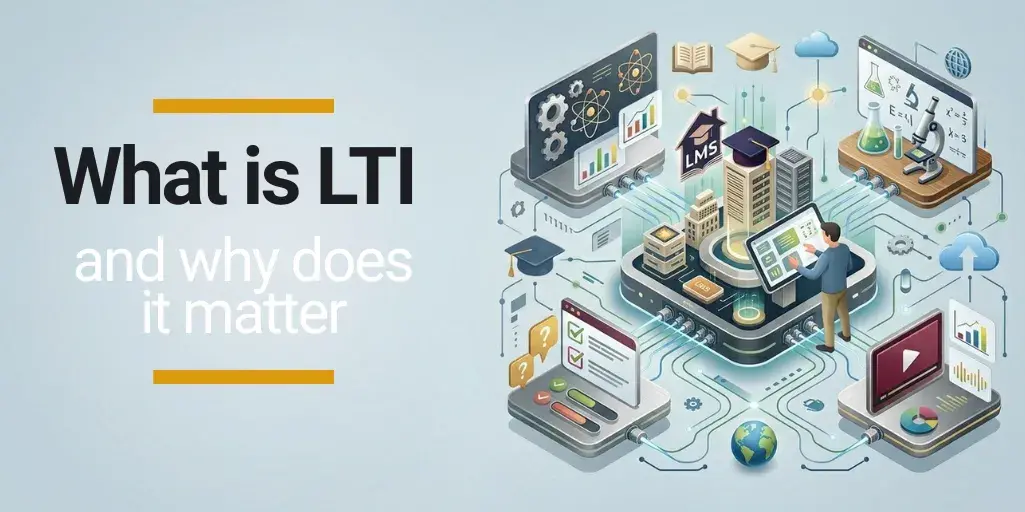
LTI isn’t just another connector created by a software provider: it’s the standard that allows external learning tools to be launched directly within the LMS, without learners having to log in again.
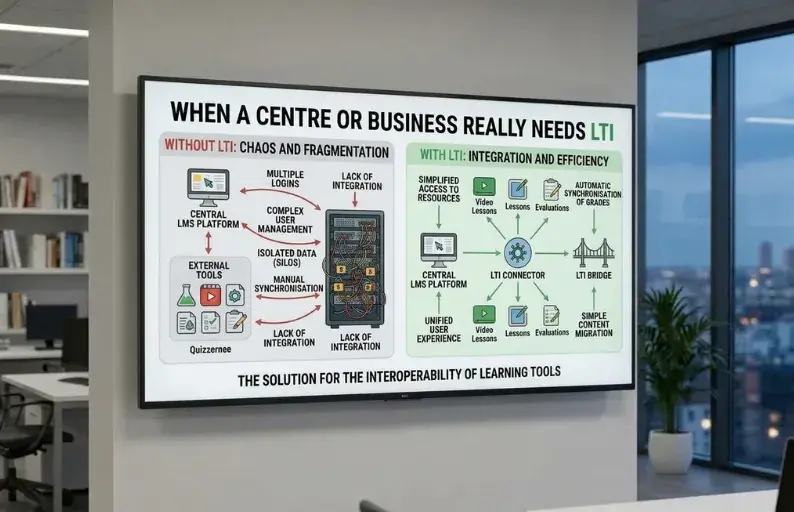
In practice, it’s useful when your learning platform needs to connect to video conferencing tools, external assessment platforms, virtual labs or third-party content without requiring learners to manage another set of login details.
With LTI integration, learners can access these tools directly from the LMS and, depending on how they’re integrated, use them without having to manage separate login credentials.
If your eLearning platform needs to work alongside other learning solutions, having an LTI-compatible LMS can make life much easier for both learners and trainers.
What is LTI?

LTI stands for Learning Tools Interoperability, a standard developed by 1EdTech that allows you to connect an LMS to external learning tools.
Its main purpose is to enable users to access these tools directly from their LMS without creating another account or having to log in again. This is where the standard gets its full name: Learning Tools Interoperability.
For example, if your LMS uses an external tool for assessments, simulations or virtual classes, the LTI standard allows learners to access it directly from their learning platform as part of their learning experience, without feeling as though they’re using an entirely separate application.
| Without LTI | With LTI |
|---|---|
| Learners leave the LMS to use another tool. | Learners access the tool directly from the LMS. |
| They may need a separate username and password. | They can access the tool without logging in again. |
| The LMS and external tools operate separately without communicating. | The LMS and external tool can exchange information. |
| The learning experience is more fragmented. | The learning experience is more integrated and seamless. |
LTI vs SCORM vs xAPI vs custom APIs
LTI, SCORM, xAPI and custom APIs are terms that often come up together when discussing LMS integrations, but they don’t all serve the same purpose.
If you want to connect your LMS to an ERP, CRM or corporate data lake, explore the interconnected ecosystem approach. LTI is designed to connect learning tools, rather than manage all aspects of a company’s operations.
The main difference lies in the specific need each one addresses:
- LTI (Learning Tools Interoperability): connects an LMS to external learning tools so they can be used directly within the same platform.
- SCORM (Sharable Content Object Reference Model): is a standard for packaging and delivering training content within an LMS.
- xAPI (Experience API): allows learning experience data to be recorded and shared, even when learning takes place outside the LMS, such as through an app, simulation or face-to-face activity.
- Custom API: an interface developed specifically to connect two systems. It offers greater flexibility when integrating an LMS with other business tools, but requires bespoke development.
| Technology | What problem does it solve? | Example use case |
|---|---|---|
| LTI | Connecting an LMS to external learning tools | Accessing an external assessment tool directly from the LMS without logging in again |
| SCORM | Integrating training content into an LMS | Uploading a new eLearning course to an LMS |
| xAPI | Tracking learning experiences both inside and outside the LMS | Collecting data from a simulation completed in another application |
| Custom API | Connecting systems to meet specific requirements | Synchronising data between the LMS and an internal ERP or CRM system. |
When does a training centre or company need LTI?
External assessment tools
If you use an external platform to run exams or assessments, LTI allows you to integrate it with your LMS and make it easier for learners to access it directly from their learning platform. This means learners don’t have to switch between different platforms when taking an assessment.
Depending on the integration, other information, such as assessment results, can also be shared directly, reducing the need for manual administration.
Virtual labs and simulators
In technical, healthcare or university training, it’s common to use virtual labs, learning simulations in the metaverse or practical environments developed outside the LMS.
With LTI, these tools can become part of the practical activities within a course or module, without learners feeling as though they’re using a completely separate platform.
Third-party content
Training centres and companies may work with external providers offering courses, interactive activities, question banks or other learning content. If each provider uses its own login system, accessing these resources can become complicated and slow down learners’ progress.
LTI allows these third-party resources to be connected to the LMS, so that the learning platform provides a single point of access, even when the resources are hosted on different platforms.
University and corporate learning ecosystems
At universities and within companies, the LMS often needs to work alongside a range of other solutions, such as video conferencing tools, digital libraries, practical training platforms or specialist applications.
In these situations, LTI can help create a connected learning ecosystem, where the LMS acts as a central hub and different tools are integrated without users having to manage each platform separately.
What to ask your LMS provider about LTI

Just because an LMS supports LTI doesn’t mean everything is taken care of or that all integrations work in the same way.
Before choosing an LTI-compatible eLearning platform, there are several things you should consider, such as which version it supports, what the LTI integration allows you to do and which aspects are handled by the provider.
Which version of LTI does the LMS support?
Ask which version of LTI the platform supports and whether it includes LTI 1.3 and LTI Advantage, as integration capabilities can vary depending on the version.
It’s also important to find out whether the LMS provider maintains and updates this compatibility. At evolCampus, we’re working on our LTI integration capabilities, so we recommend checking which specific integrations are currently available for your particular use case.
Does it support SSO with external tools?
Check whether learners can access external tools directly from the LMS without having to enter their login details again, such as their username or password.
Don’t assume that LTI automatically enables single sign-on for every tool or that no additional login credentials will ever be needed.
Can it send grades back to the LMS?
If you’re planning to use external assessment tools, ask whether results can be automatically transferred back to the LMS.
Check which data is synchronised, how often it’s updated and whether tutors or trainers can view grades directly within the learning platform.
Which LTI tools can be integrated?
Make sure the tools you already use, or plan to introduce, are compatible with the version of LTI supported by your LMS.
If they’re not compatible, having LTI support in your LMS won’t be enough to integrate those tools. You’ll need to explore other integration options or consider switching providers.
Who is responsible for configuration and maintenance?
Clarify which aspects of the integration are handled by the LMS provider, which responsibilities fall to your team and which are managed by the external tool provider.
It’s also important to establish who will handle the initial setup, ongoing maintenance and troubleshooting if the connection stops working.
What LTI support is available?
| Questions to ask your LMS provider | Ideal answer |
|---|---|
| Which version of LTI does the LMS support? | It supports LTI 1.3 and LTI Advantage, with up-to-date compatibility and support for the standard's key features. |
| Does LTI support SSO with external tools? | Yes. Users can access integrated tools directly from the LMS without having to log in again. |
| Can grades be sent back to the LMS? | Yes. External tools can send grades back to the LMS, allowing tutors and administrators to view them in one place. |
| Which LTI tools can be integrated? | The LMS supports integration with a range of LTI-compatible tools and provides documentation or examples of existing integrations. |
| Who sets up and maintains the integrations? | The provider offers support with setup and troubleshooting, clearly defining which tasks are the client's responsibility and which are handled by the provider. |
| What technical support is available for LTI? | It includes technical documentation, assistance with LTI LMS integration and support for resolving any issues that arise. |
What LTI offers in practice (and what it doesn't promise)
What LTI offers
- Smoother access: learners can access external tools directly from the LMS without having to manage separate login credentials.
- Less bespoke development: using a common standard makes LTI integration with compatible tools simpler and more cost-effective than developing a custom integration from scratch for a course.
- A more connected learning ecosystem: the LMS can act as a central hub where learners and trainers access different learning resources and applications.
- Data exchange between platforms: depending on the LTI version and the features implemented, information such as users, courses, activities and grades can be shared.
- Data exchange between platforms: depending on the LTI version and the features implemented, information such as users, courses, activities and grades can be shared.
- It doesn't replace every API: if you need to integrate your LMS with corporate systems such as an ERP or CRM, you'll probably need an API connection.
- It doesn't eliminate all technical configuration: although the standard makes integration easier, the connection between platforms still needs to be properly configured and maintained.
- It doesn't automatically guarantee a good user experience: just because an LMS supports LTI doesn't mean every tool will integrate in the same way or meet eLearning accessibility standards.
| Action | Does LTI support this? |
|---|---|
| Makes it easier to access external tools directly from the LMS | ✅ |
| Reduces the need for bespoke integrations | ✅ |
| Helps create a more connected learning ecosystem | ✅ |
| Facilitates data exchange between platforms | ✅ |
| Automatically connects any external tool | ❌ |
| Replaces all APIs and connectors | ❌ |
| Eliminates all technical configuration | ❌ |
| Guarantees that all tools work in the same way | ❌ |
| Meets every integration requirement | ❌ |
If your training centre or company already uses external assessment tools, simulations or third-party content, an LTI-compatible LMS can reduce access barriers and the need for bespoke development.
However, LTI doesn’t replace integrations with corporate systems such as ERP or CRM platforms. For those, you’ll need APIs and connectors, as we explain in our article on how to integrate an LMS with other business tools.
Frequently asked questions about LTI in eLearning and why it matters

Does LTI replace SCORM in an LMS?
Can LTI connect an LMS to any external tool?
Is it worth choosing an LTI-compatible LMS?
Can LTI be used to integrate an ERP or CRM with an LMS?
Does implementing LTI require technical expertise?
When increasing learner numbers, specialisms or course intakes start multiplying the time spent on enrolments, communications, progress tracking, compliance checks and issuing certificates, an LMS for physiotherapy training providers can help centralise these processes and automate repetitive tasks, so that growing your training activity doesn’t lead to an equivalent increase in administrative workload.