Online learning has become a strategic pillar for companies, training institutions and all kinds of learning projects. However, when it comes to choosing from the many available e-learning platforms, doubts quickly arise: which option is actually the right one for your needs? After all, searching for a place to take an online course is very different from choosing an e-learning platform or LMS to manage, track and scale your own training project.
And this is a far more important question than it may initially seem. Nowadays, a quick search is enough to uncover dozens of e-learning platforms, endless comparisons and conflicting opinions. The problem is that starting there often leads to poor decisions. Choosing a platform without first defining aspects such as your business model, training goals, level of involvement or the type of learner experience you want to deliver is, in practice, like building a house from the roof down.
In this post, we will help you identify what truly is your best e-learning platform: not necessarily the most popular or feature-packed solution, but the one that best matches your real needs to professionalise your online training strategy in 2026.
It goes without saying that factors such as stability, scalability, technical support and ease of use are essential requirements that any LMS should meet. From there, every additional feature becomes a competitive advantage.
But before diving into functionalities and technical features, there is one key question we need to answer first: what type of platform do you actually need? The answer will largely depend on how you plan to use it and the role online learning will play within your project.
What will you use the platform for?
Best e-learning platforms: open-source or commercial?
If you need a platform to sell online courses
If you are just getting started and your goal is to launch courses occasionally, validate an idea or minimise operational workload, a marketplace-style platform may be a sensible option.
With this model, the provider handles almost everything: infrastructure, website management, visibility, marketing and the learning management system itself. In return, however, you give up part of the control, customisation and, in many cases, a share of your revenue.
Platforms for corporate training
The situation changes when online learning becomes a recurring or strategic activity. If you deliver courses on an ongoing basis, train customers or employees, collaborate with third parties or want to scale your learning project, then an e-learning platform or dedicated LMS should be your main option.
These types of solutions allow you to design, manage and fully control the entire learning experience, from content and learners to data and operational processes.
That said, there is no universal LMS that works equally well for every scenario. Choosing an LMS should always depend on the specific context and requirements of the organisation using it.
A university does not have the same needs as a company with hundreds or thousands of employees. Likewise, an academy selling online courses directly to the public requires different features from an organisation that already operates with a corporate website and an established digital ecosystem, for example, on WordPress. In every case, the technical, functional and integration requirements are different, and the ideal platform will be too.
For this reason, before making a decision, it is essential to assess your goals, resources and internal capabilities realistically. This process will help you narrow down the choice between open-source e-learning platforms and commercial platforms (often inaccurately referred to simply as “free” or “paid” platforms).
Open-source platforms stand out for their outstanding flexibility and customisation potential. They allow you to adapt virtually every aspect of the LMS, but that level of freedom comes at a cost: they require installation, management, maintenance, updates and a greater level of technical involvement. You can manage this internally — with the corresponding investment in time and resources — or outsource it to a specialised provider, which naturally involves additional costs that should be considered from the outset.
Commercial platforms, on the other hand, focus on simplicity and speed. They are turnkey solutions, ready to use, with built-in developments, included support and a much faster implementation process. In recent years, many of these Best e-learning platforms 2026 solutions have also incorporated advanced functionalities, such as automation tools, advanced analytics and even artificial intelligence capabilities applied to learning experiences.
Whichever model you choose, there is one factor that should never be overlooked: the provider behind the platform. The Best e-learning platforms should always be backed by an experienced team, reliable support, a clear product development vision and the possibility to test the platform before making a final decision.
The 10 Best e-learning platforms: your 2026 guide

Below, we present our selection of the Best e-learning platforms currently available on the market. All of them meet the essential requirements for online learning, although they differ significantly in their approach, level of specialisation and functional depth.
Further on, we will provide specific recommendations based on your profile, your objectives and the type of training project you want to develop.
So, without further ado, let’s get straight to it. These are the e-learning platforms you should know about:
evolCampus
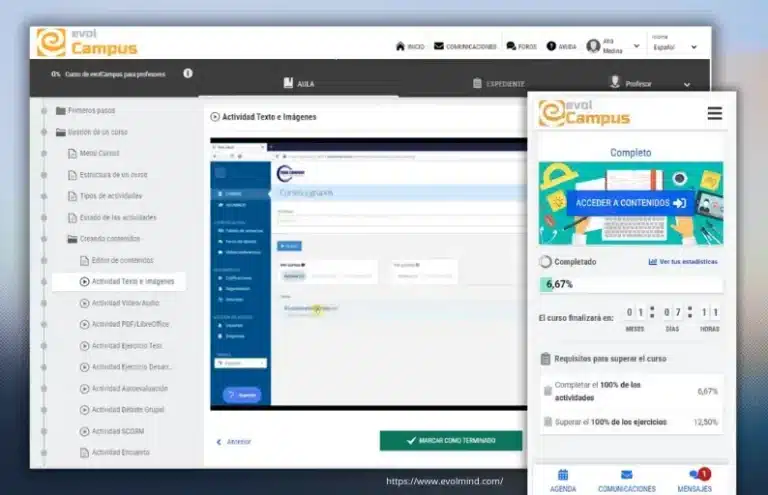
The evolCampus e-learning platform is, in 2026, one of the most efficient cloud-based commercial SaaS e-learning platforms for organisations that require speed, simplicity and specialised support. With a presence in more than 35 countries, its main differentiator lies in removing technical barriers, allowing organisations to focus on learning rather than software management.
It is the recommended option for organisations that need a solution capable of fully complying with regulations such as FUNDAE through native functionality.
Among the Best e-learning platforms 2026, evolCampus stands out as a leading LMS in terms of agility, significantly reducing both the initial investment and the operational workload required to manage online learning professionally and at scale.
Key advantages:
- Immediate implementation: ideal for launching e-learning projects without delays.
- Fast and assisted migrations from other LMS platforms.
- Close, responsive and highly specialised technical support.
- High scalability, designed to manage large numbers of learners and courses.
- Simple and efficient course creation and management, even for non-technical users.
- Multi-device access, with a responsive web platform and dedicated mobile app.
- Continuous product development, with frequent updates and improvements.
- Strong focus on both learner and trainer experience, a key requirement in modern corporate learning environments.
Points to consider:
- As a closed-source solution, it does not allow fully bespoke developments, although it does offer extensive configuration and functional customisation options.
Best suited for:
- Educational institutions: academies, training centres, business schools and corporate universities.
- Companies and organisations: consultancies, advisory firms, private companies, foundations, NGOs, associations and professional bodies.
- Professional trainers and course creators looking to market or manage their own online training programmes.
Price:
- Free trial and personalised demo with expert consultants.
- Competitive and flexible pricing, based on the number of active learners per month.
User ratings:
- evolCampus has an average rating of 4.7 out of 5 on Capterra, reflecting high levels of user satisfaction in areas such as usability, support and value for money.
Moodle
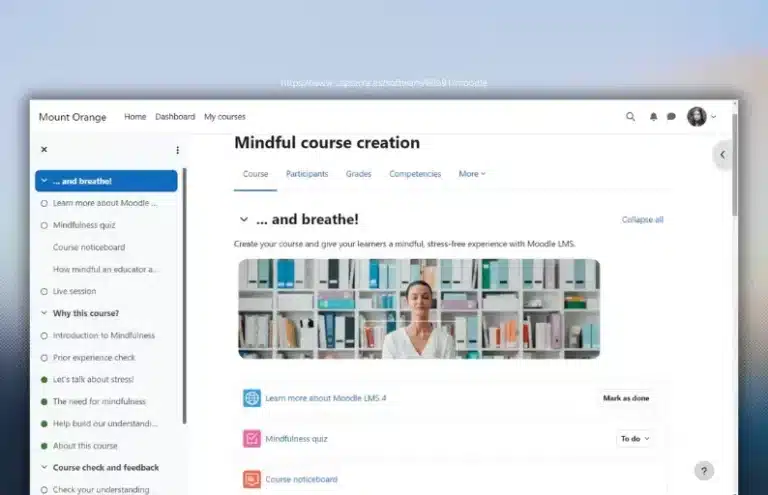
Moodle is the world’s most widely used open-source learning management system (LMS). For years, it has remained a benchmark in the e-learning sector, especially in academic environments and organisations with complex training needs.
It has a network of certified partners authorised to provide support and services related to its implementation and use.
Key advantages:
Key advantages:
- High level of customisation.
- Scalable.
- Total number of features: 118.
- Extensive plugin ecosystem with thousands available, including modules focused on advanced analytics, automation and AI-based functionality.
- Mobile app available.
- Large user community.
Points to consider:
- Requires technical expertise for installation, configuration and maintenance; management can be complex without a specialised team.
- No direct official technical support; support depends on partners or external providers.
- User experience can vary significantly depending on the level of customisation and design applied.
Best suited for:
- Official academic institutions, such as universities, vocational training centres and state schools with their own technical infrastructure and resources.
- Larger organisations: companies, consultancies, NGOs, foundations and professional associations.
Price:
- No free trial or demo available.
- Free software*
User rating:
- Moodle has an average rating of 4.3 out of 5 on Capterra.
Chamilo
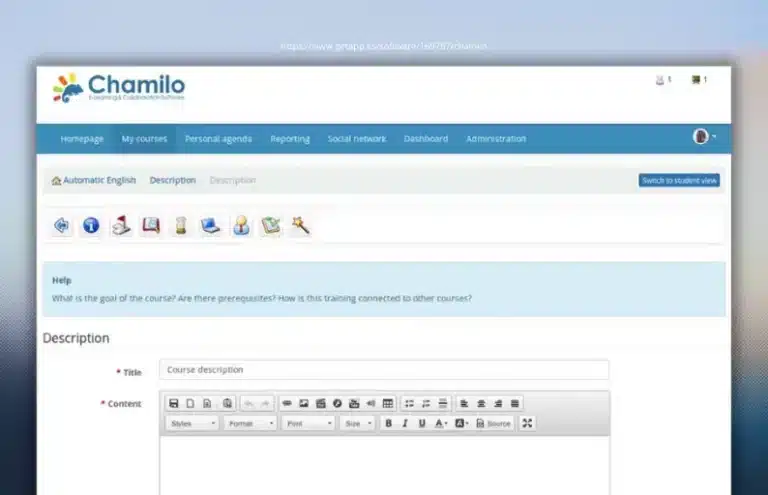
Key advantages:
- Customisable. It allows functionality to be extended through plugins and bespoke developments, managed directly from the platform.
- Intuitive user experience. Its interface is simple and easy to adopt
- Flexible hosting options. It can be installed on your own servers or used with specialised hosting services.
- Broad functional coverage. It includes tools for course management, learning tracking, assessments and collaboration.
- Wiki tool for collaborative work.
- Official partner ecosystem. Official Chamilo providers contribute to its development by supplying patches and plugins.
- Active community. Initiatives such as monthly ChamiTalks help users learn from experts.
Points to consider:
- Limited support outside the partner ecosystem. Standard support mainly depends on the community, which is smaller than that of other leading open-source LMS platforms.
- Security management. As with many open-source solutions, careful technical administration is required to keep the system up to date and minimise vulnerability risks.
Best suited for:
- Training institutions: academies, training centres, business schools, schools and universities.
- To a lesser extent, organisations such as companies in the healthcare and biopharmaceutical sectors, NGOs and public institutions.
Price:
- Free trial.
- Free open-source licence.*
User rating:
- Chamilo maintains very positive user ratings, with an average score close to 4.7 out of 5 on Capterra.
Totara LMS
Within the Totara ecosystem, you will find Totara Learn, an LMS that stands out as an open-source solution primarily designed for corporate environments.
Beyond traditional learning, Totara has become an integrated talent platform, complemented by other solutions such as Totara Perform for performance management and Totara Engage for social learning and collaboration, enabling organisations to manage employee professional development in a unified way.
Key advantages:
- Based on Moodle, but expanded with advanced corporate learning management features.
- Highly customisable and scalable.
- Broad feature set, with more than 49 L&D-focused functionalities.
- Badges and recognition system to boost learner motivation.
- Mobile app available.
Points to consider:
- The learning curve can be steep, especially for teams with no previous experience using advanced LMS solutions.
- It usually requires specialised partners for implementation and maintenance.
Best suited for:
- Large companies and organisations with complex training needs.
- Non-profit organisations.
- Public administrations and official bodies.
Price:
- No free trial available; it only offers demos on request through partners.
- Although it is open-source software, it is not free. The cost depends on the partner, number of users and associated services, and is not published transparently on the official website.
User rating:
- Totara has an average rating of 4.4 out of 5 on Capterra.
Cornerstone LMS
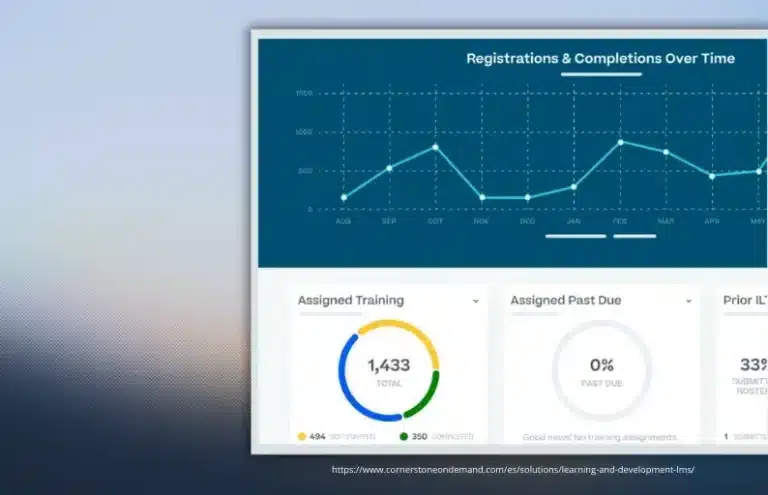
Cornerstone LMS is one of the most established corporate learning platforms on the market, with a strong presence in large companies, particularly in the United States and the United Kingdom.
Its offering has evolved from a traditional LMS into a Talent Experience Platform (TXP), meaning it combines LMS and LXP capabilities, with a focus on driving business performance, talent management strategy and measurable results.
Key advantages:
- Highly scalable platform, designed for complex organisations and large user volumes.
- Strong focus on skills development, reskilling and upskilling.
- Personalised learning paths and development plans.
- Broad feature ecosystem, with more than 80 functionalities.
- Good technical support and a well-established global community, with thousands of customers and partners.
Points to consider:
- Steep learning curve, especially during configuration and administration.
- High cost, placing it beyond the reach of small organisations or simple training projects.
- Requires specialised implementation and support to make the most of its full potential.
Best suited for:
- Medium-sized and large companies.
- Consultancies and advisory firms focused on talent.
- Large foundations, NGOs and associations.
- Professional bodies and organisations with complex learning structures.
Price:
- No free trial is available, although you can request a personalised demo.
- Pricing is bespoke, based on the number of users, selected modules and level of customisation. Additional costs for implementation, integrations, maintenance and support are usually added, so you need to contact the provider directly to obtain a detailed quote.
User rating:
- Cornerstone has an average rating of 4.3 out of 5 on Capterra.
Docebo
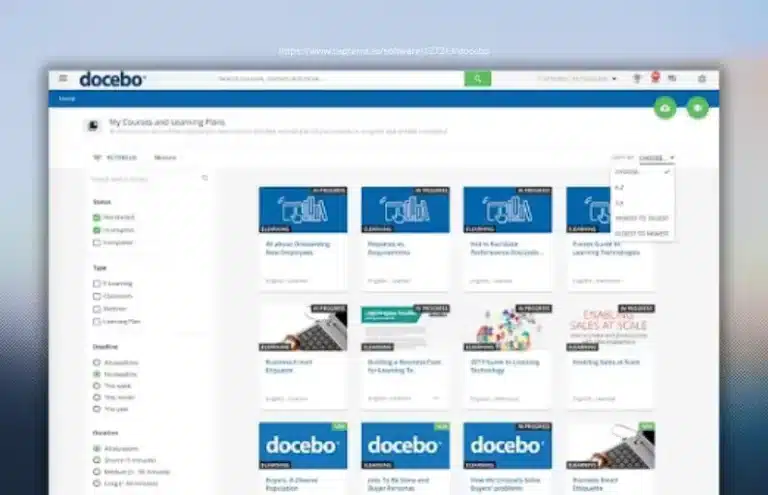
Docebo is undoubtedly considered one of the leading international e-learning platforms, especially in the field of corporate training.
It is a SaaS solution designed for corporate learning, with a strong presence in the US market and positioning closely linked to technological innovation.
Key advantages:
- Very powerful and highly scalable platform, designed to grow with the organisation.
- Total number of features: 85.
- Uses AI algorithms to deliver more immersive experiences.
- Gamification features: badges, rewards and recognition systems that encourage participation.
- Strong integration ecosystem with corporate tools such as HR, CRM and ERP systems.
Points to consider:
- Fairly complex interface. Requires technical knowledge.
- High price, making it less accessible for SMEs or small training projects.
- In many cases, it requires consultancy or specialist support for proper implementation.
Best suited for:
- Medium-sized and large companies.
- Organisations with advanced internal training, onboarding, upskilling or partner training needs.
Price:
- No free trial available. A demo can be scheduled to see it in action.
- Pricing is variable and scalable, provided by quote according to requirements and number of users.
User rating:
- Docebo has an average rating of 4.3 out of 5 on Capterra.
Open edX
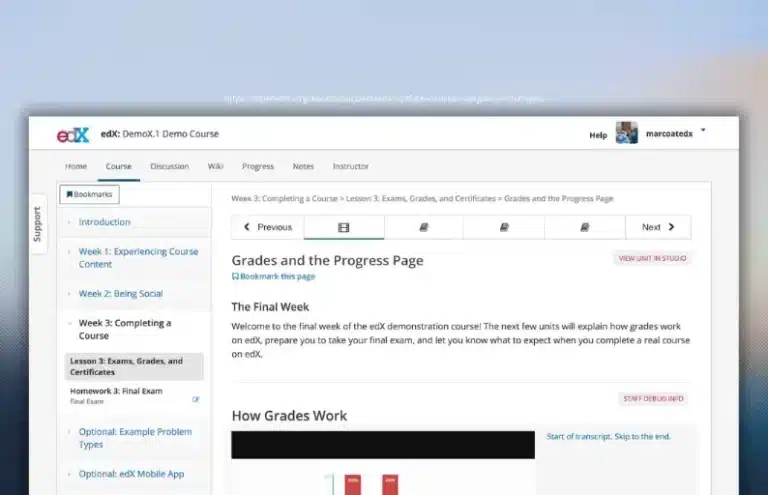
Open edX is an open-source LMS launched in 2012 by Harvard University and the Massachusetts Institute of Technology (MIT).
Today, Open edX has positioned itself as a strong alternative to Moodle, particularly valued by institutions that need to scale their training offering, launch MOOCs or build highly customised learning ecosystems.
Key advantages:
- Open-source and highly customisable platform.
- Excellent scalability.
- Clear interface focused on learner experience.
- Specifically designed for massive open online courses (MOOCs).
- Total number of features: 20.
- Includes gamification modules and advanced learning tracking tools.
- The Open edX community organises regular meetups, events and collaboration spaces with EdTech experts to share best practices and platform updates.
Points to consider:
- Initial setup and deployment can be complex and require specialised technical expertise.
- It does not offer direct official support for self-managed installations; this is usually contracted through certified external providers.
- Although it has a very active community and channels such as Slack, this is not always enough for organisations without their own technical team.
Best suited for:
- Official academic institutions: universities, business schools and public education centres.
- Companies and organisations delivering large-scale training programmes.
- NGOs and government institutions with open or corporate learning projects.
Price:
- Managed service: available through partners, with free trials, demos and monthly subscription models depending on project scope.
- Self-managed use: the platform itself is free as it is open source.*
User rating:
- Open edX receives very high user ratings, with an average score of around 4.8 out of 5 on Capterra.
Google Classroom

As expected, we also recommend Google’s solution which, although it is not a fully featured LMS in the traditional sense — due to its more limited functionality — can still be a very good option for supporting face-to-face training or blended learning environments.
Google Classroom, while not a complete LMS with advanced capabilities such as deep competency management or sophisticated analytics reporting, stands out as a learning environment thanks to its simplicity, accessibility and strong integration with the Google Workspace for Education ecosystem.
Key advantages:
- Simple and easy to use.
- Seamless integration with the Google ecosystem. It works natively with Google Drive, Docs, Sheets, Slides, Calendar and Meet, making it easy to share materials, schedule activities and run live online classes with minimal barriers.
- Cloud-based working environment accessible from any device.
- Total number of features: 39.
- Native mobile app. It allows users to manage classes, assignments and notifications from iOS and Android devices, improving accessibility for the entire learning community.
- With the latest Google Workspace for Education editions, Classroom includes AI-powered assistants that help generate learning resources, lesson planning and performance analysis (depending on the subscription plan).
Points to consider:
- Limited functionality compared to full LMS platforms. It does not provide the same level of customisation, advanced analytics or automation as more robust LMS solutions such as Moodle, Canvas or Blackboard.
- Although it supports a wide variety of content formats, integration with external systems or non-Google corporate tools can be more complex or less direct.
- Official technical support is generally mainly based on help documentation, forums and online resources, with limited escalation options unless using a Google Workspace enterprise support plan.
Best suited for:
- Official educational institutions such as universities, schools and K–12 centres already using — or planning to adopt — Google Workspace for Education.
- Blended learning programmes or training initiatives that complement face-to-face learning, where complex certification workflows or formal learning structures are not required.
- Educational organisations, NGOs and small training programmes.
Price:
- Free version available for teachers and eligible educational institutions that meet Google’s requirements.
- Paid subscription plans are available for organisations requiring additional features (Education Standard, Teaching and Learning Upgrade or Education Plus).
User rating:
- Google Classroom has an overall rating of 4.6 out of 5 on Capterra.
Blackboard Learn
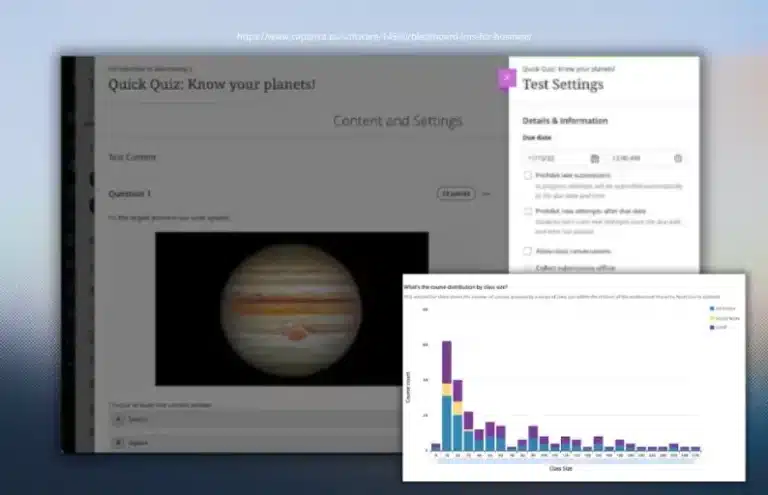
Blackboard Learn is another of the most established commercial e-learning platforms on the market and a long-standing benchmark in university-level training.
In recent years, Blackboard has evolved significantly with Blackboard Learn Ultra, a modernised experience that improves usability, navigation and mobile responsiveness.
Key advantages:
- Very robust and stable platform, suitable for critical environments.
- Scalable, designed to support large numbers of simultaneous users.
- Broad feature set, with more than 70 functionalities focused on university teaching.
- AI-powered design assistant for creating and structuring content.
- Integrated tools for originality checking and plagiarism prevention.
- Mobile app available.
- Professional consultancy, support and implementation services.
Points to consider:
- Despite its modern design, the interface can be complex and may require technical training.
- Steep learning curve for non-expert users.
- Very high price compared with other LMS platforms on the market.
Best suited for:
- Large official training institutions, especially universities.
- State schools and large-scale training systems.
- Corporate organisations and government bodies.
Price:
- No free trial available. A personalised demo can be requested, but prices are not public and sit within a high range.
- High pricing. To obtain a quote, you need to contact Blackboard directly.
User rating:
- Blackboard has an average rating of 4.7 out of 5 on Capterra.
Canvas LMS (Instructure)
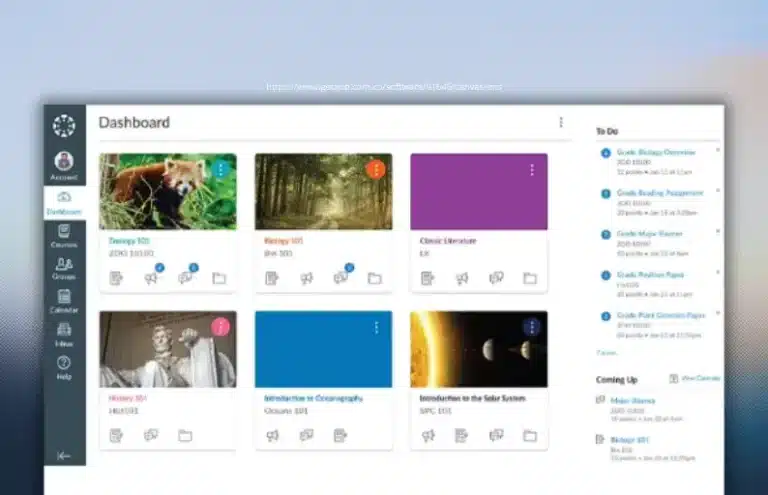
We close this section with Canvas LMS, the flagship platform from the US company Instructure, which is firmly established in formal learning environments.
Canvas LMS is one of the most widely used solutions worldwide by universities, education centres and school districts, especially in higher education and regulated training. The platform is offered in two versions: Canvas Open Source, designed for institutions with their own technical team that want maximum control and customisation; and commercial Canvas LMS, a hosted version managed by Instructure, ready to use and with official support.
Key advantages:
- Modern, intuitive interface focused on user experience.
- High level of customisation in the open-source version.
- Strong ecosystem of learning tools, integrations and standards such as LTI and SCORM.
- Canvas Catalog as a repository for courses and learning resources, available in the commercial version.
- Total number of features: 106 in the commercial version.
- Mobile app available (Canvas Student / Canvas Teacher), useful for basic access from smartphones. However, Canvas native mobile apps have limitations and do not offer all desktop features.
- Very active international community, with millions of users, shared resources and collaborative support.
Points to consider:
- Initial learning curve, especially for trainers with no previous experience using complex LMS platforms.
- High cost in the commercial version, especially when advanced modules or specific integrations are required.
- Limited mobile functionality compared with the desktop version.
- Less focused on corporate or commercial training compared with other LMS solutions that are more flexible for companies.
Best suited for:
- Universities and higher education institutions.
- State and private schools.
- Academic institutions that require academic control, formal assessments and regulatory compliance.
Price:
- Free trial and demo available for the commercial version.
- Free Open Source version.*
- Commercial version under a subscription model, with customised pricing depending on number of users and selected functionalities.
User rating:
- Canvas LMS has an average rating of 4.5 out of 5 on Capterra.
New trends in e-learning platforms for 2026

Every year, the e-learning sector and online learning continue to evolve, driven by technological advances, changing learning habits and the new demands of companies, educational institutions and learners. In 2026, many of the trends that first emerged in previous years have now become firmly established, while others have reached a level of maturity that is fundamentally transforming e-learning platforms.
Gamification, microlearning and mobile learning remain key pillars, but they now coexist with new features powered by artificial intelligence, advanced automation, immersive learning and far more personalised, flexible and results-driven training models.
- Advanced learning personalisation powered by artificial intelligence
Artificial intelligence applied to e-learning is now fully integrated into the most innovative platforms. In 2026, learning personalisation will reach an entirely new level: AI-powered e-learning platforms collect learner data, analyse strengths and weaknesses, and adapt course content in the most effective way for each individual. As a result, both resources and objectives adjust to learners’ needs and pace.
Thanks to these intelligent systems, each learner can follow a personalised learning journey tailored to their knowledge level, learning speed and objectives, while receiving customised recommendations for resources, reinforcement activities or additional challenges. Beyond improving user experience, this significantly increases training effectiveness and course completion rates.
- Intelligent automation for learner tracking and support
- Immersive learning and advanced simulations
Immersive learning is becoming one of the most transformative trends in e-learning. Technologies such as virtual reality (VR), augmented reality (AR) and interactive simulated environments make it possible to deliver far more practical, realistic and engaging learning experiences.
In 2026, these technologies will be used particularly in technical, corporate and professional skills training, as they allow real-life situations to be recreated in safe and controlled environments. Learners can practise, make mistakes and learn actively, improving knowledge retention and direct transfer to professional performance. In addition, falling costs and improved accessibility are making large-scale adoption increasingly viable.
- Competency-based learning and measurable outcomes
One of the trends gaining the greatest momentum this year is competency-based learning. E-learning platforms will no longer focus solely on content completion, but on the real acquisition of applicable skills and knowledge.
The most advanced LMS solutions already allow organisations to define specific competencies, assess them continuously and certify mastery through practical evidence, projects or simulations. This approach is particularly relevant in corporate and vocational training environments, where measuring the real impact of training on workplace performance is essential.
- Advanced analytics and data-driven decision-making
Learning Analytics is beginning to establish itself as one of the key trends for 2026, evolving towards far more advanced and predictive models. As a result, e-learning platforms will incorporate intelligent dashboards that not only display historical data, but also help anticipate behaviours, identify dropout risks and detect opportunities for improving training programmes.
This analytical capability enables organisations to make more informed decisions, optimise content, improve the learner experience and align training initiatives with broader business objectives.
Recommendations: the best e-learning platforms according to your profile

The key lies in aligning your LMS choice with your business model, user volume, required level of customisation and training objectives.
Below, we review the most suitable options according to the profile of each organisation or learning project.
- Are you an individual looking to sell online courses?
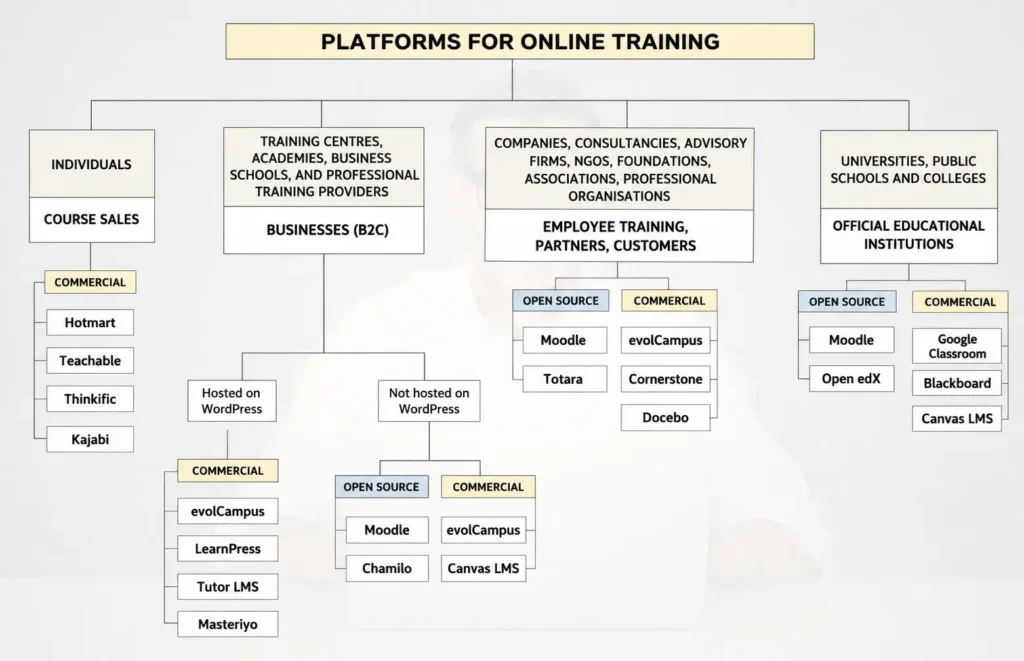
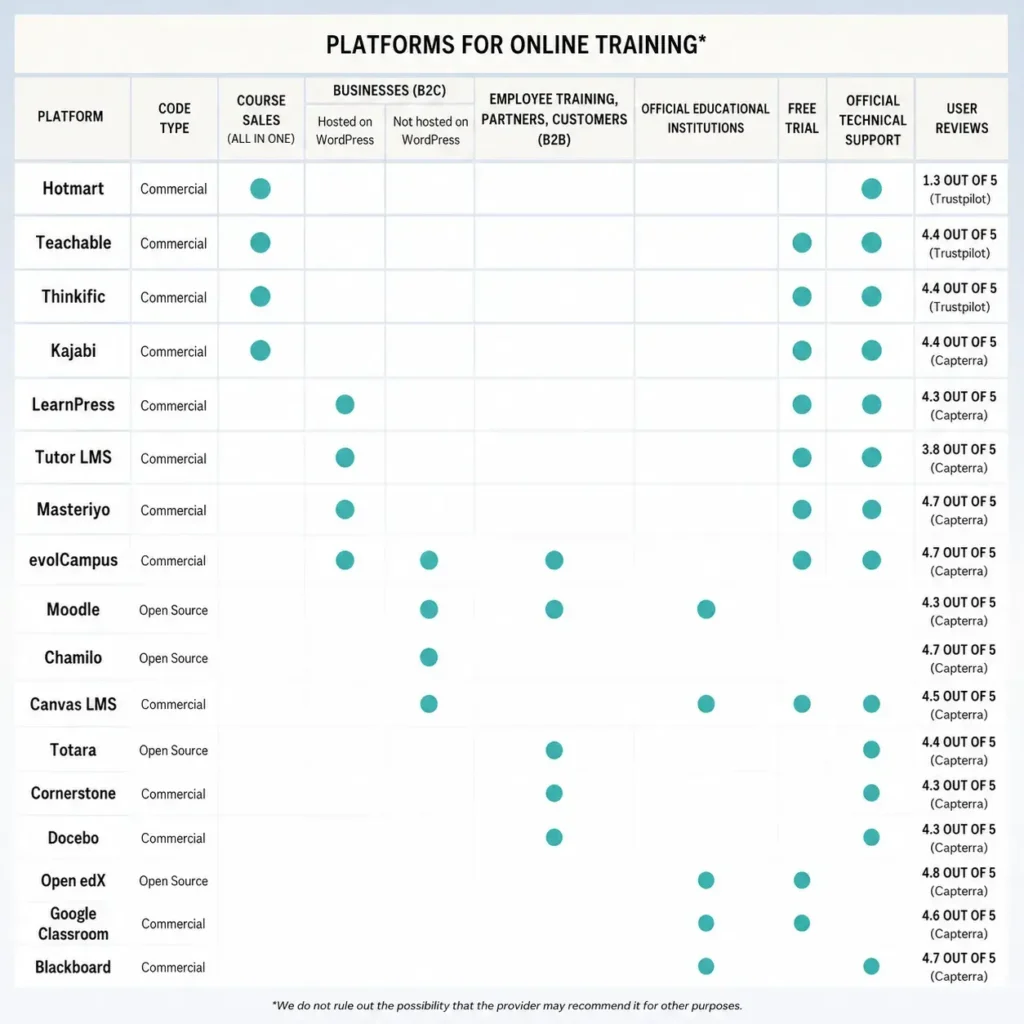
If you are an independent creator or a small team and your priority is to sell courses quickly, while managing your website, payments, marketing and basic learner administration from a single tool, the best option is still to choose all-in-one commercial platforms such as Teachable, Thinkific, Kajabi or Hotmart.
These platforms are ideal for validating ideas, launching digital products or managing a small catalogue of courses, although they often come with limitations in terms of customisation, advanced analytics and long-term scalability.
- Are you a company delivering training to third parties, or an individual with significant course sales looking to professionalise your business?
This profile includes academies, training centres, business schools, training companies and course creators with a substantial learner base or revenue stream, who need greater control, customisation and professionalisation of their platform. In these cases, the best e-learning platforms are:
- Open-source: Moodle or Chamilo.
- Commercial: Canvas LMS, evolCampus, LearnPress, Tutor LMS or Masteriyo.
- Are you a company looking to train employees, partners or customers?
This category includes consultancies and advisory firms that use e-learning as a strategic tool: internal training, onboarding, certifications, compliance training, partner education or customer training. These are typically companies with more than 50 employees, geographically distributed teams or advanced tracking and reporting requirements.
This profile requires platforms with advanced automation, analytics, impact measurement and integration with corporate systems such as HR, CRM or ERP platforms. The most recommended LMS solutions in these cases are:
- Open-source: Moodle or Totara.
- Commercial: evolCampus, Cornerstone or Docebo.
- Are you an official academic institution?
In the case of universities, public and private educational centres and regulated institutions, organisations require robust and stable platforms aligned with traditional academic models, while also supporting increasingly digital and flexible learning approaches.
The most widely used platforms in these environments are:
- Open-source: Moodle or Open edX.
- Commercial: Google Classroom, Blackboard or Canvas LMS.
A final piece of advice when choosing the perfect option among the best e-learning platforms
It is important to start from one essential idea: there is no single e-learning platform that works for everyone. The right choice will always depend on the real needs of the organisation, the type of training you want to deliver and the maturity level of your learning project.
Of course, there are some minimum requirements or core features that every e-learning platform should provide: security, stability, ongoing maintenance, reliable technical support, ease of use and the ability to scale as the project grows. Beyond that, the real value of each platform lies in its ability to adapt to specific contexts and objectives.
For example, in companies and consultancies that use learning as a strategic tool, particular importance is placed on factors such as profitability linked to funded training programmes, the speed of transferring learning into workplace performance, process automation and the ability to customise the learning environment and content for different clients or groups.
By contrast, academies and training centres tend to prioritise different aspects: easy learner enrolment through their website, an intuitive user experience, effective communication and tracking tools, as well as the issuance of secure and verifiable digital certificates and diplomas.
As you can see, what may be essential for one organisation may be far less important for another.
That is why, before comparing the Best e-learning platforms 2026 has to offer, it is crucial to clearly define your profile and your real requirements. You should carefully consider aspects such as your learning management model, the technical autonomy of your team, your growth strategy and the expected number of learners and courses you will need to manage in the short and medium term.
Experience shows that choosing a platform solely because of its popularity often leads to mistakes. Some organisations end up with overly complex solutions that require excessive management effort and include far more features than they actually need. Others, meanwhile, choose platforms that are too basic and quickly become insufficient, forcing expensive migrations later on.
For this reason, the best approach is to choose a platform that offers exactly the functionality that will bring value to your project, no more and no less. It is also essential to ensure that the provider has experience with projects similar to yours, understands your sector and inspires long-term confidence.
Our recommendation is to start by evaluating commercial e-learning platforms, as they generally allow faster implementation, immediate usability and lower operational risk.
If, after this analysis, no commercial solution truly fits your requirements, open-source platforms can become an excellent alternative, provided you take into account that their customisation and maintenance require additional investment in time and resources.
FAQs about the best e-learning platforms in 2026