If you’ve ever created an online course from scratch, you’ll know everything that goes into it: scripts, content, exercises, assessments… It can easily take more than 40 hours just for preparation. But what if you could create courses with AI and reduce that time to just 4 hours?
Thanks to Prompt Engineering for eLearning, a prompt optimisation technique, it is now possible to use artificial intelligence to generate high-quality learning content, tailored and ready to upload to your LMS.
This isn’t about replacing the instructor or trainer, but about enhancing their work and accelerating the entire online course creation process.
At Evolmind, we bring you the 10 best AI prompts for creating courses in your LMS, helping you reduce working hours without compromising the quality and efficiency of your training programme.
Why is prompt design the new driving force behind LMS content?

If you use a generic prompt such as “Create a course on digital marketing”, the AI will likely generate an interesting text and an outline with topics it considers relevant, but it will probably be disorganised, superficial and lacking practical activities.
A well-crafted AI prompt for eLearning should take into account structure, learning objectives, types of activities and the learner’s level, among other factors.
The 10 best AI prompts for creating courses in your LMS
Here are the 10 best AI prompts for creating courses in your LMS, designed so you can use them directly within your platform. Each one is intended to save time, maintain quality and adapt to different types of training and subject areas.
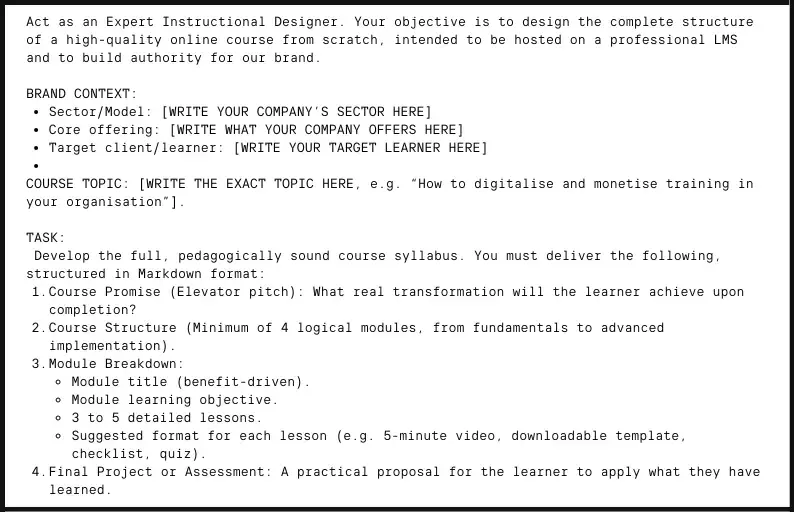
Prompt 1: Structuring a course from scratch
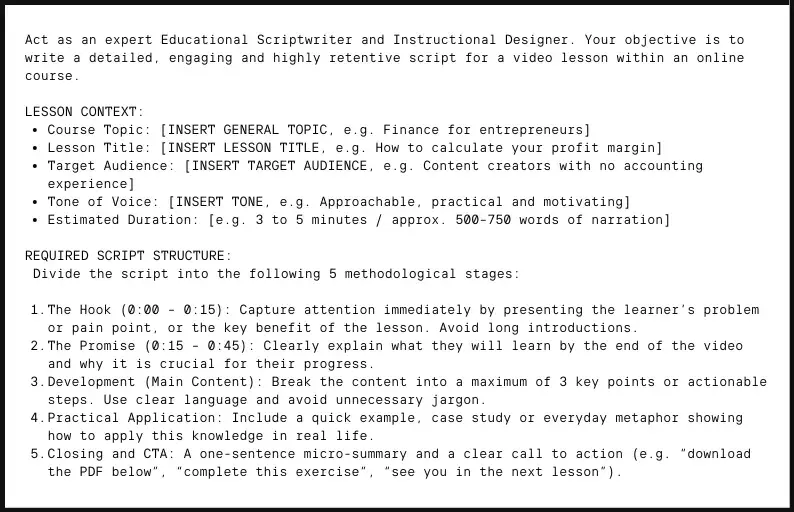
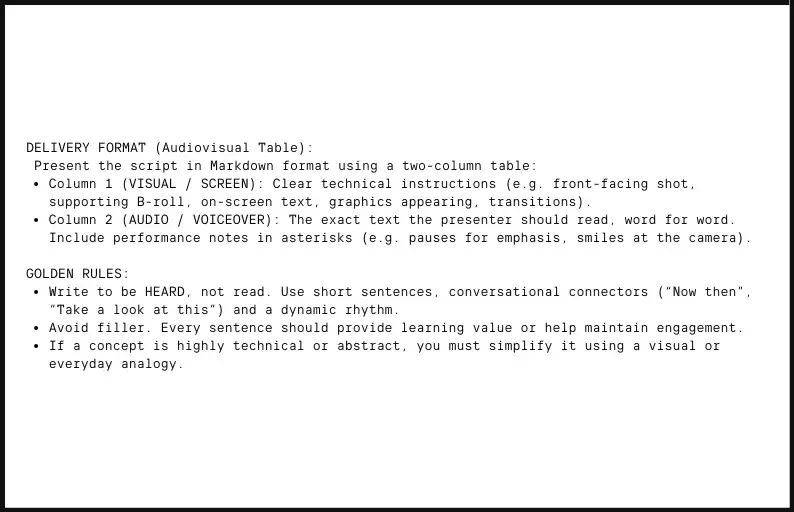
Prompt 2: Creating scripts for video lessons
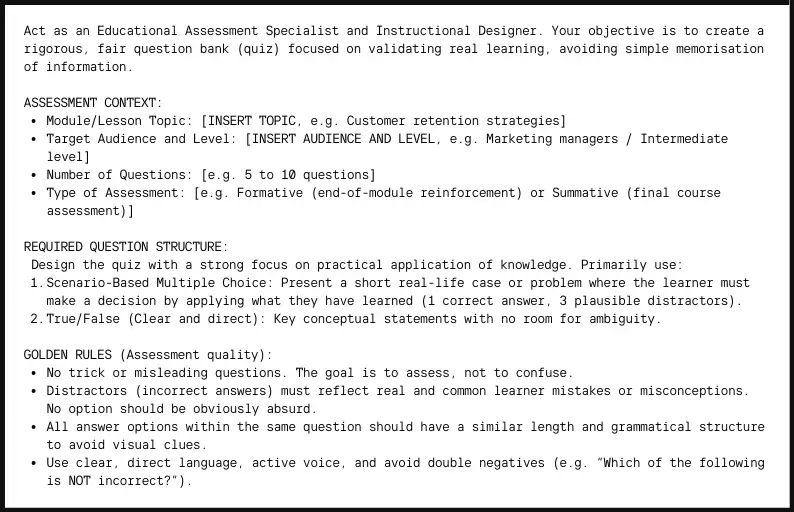
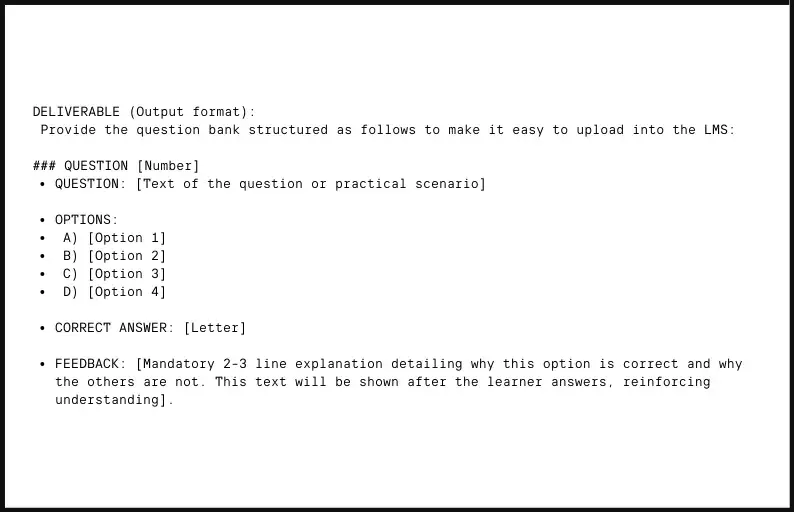
Prompt 3: Generating assessments and question banks (quizzes)
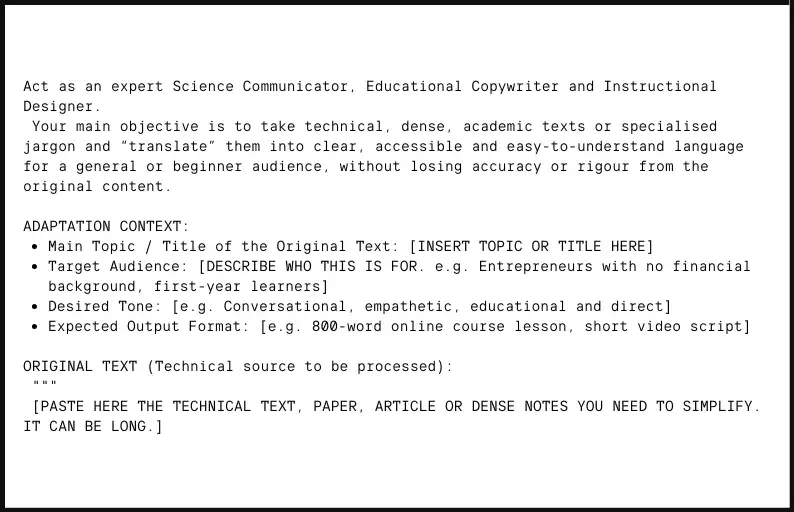
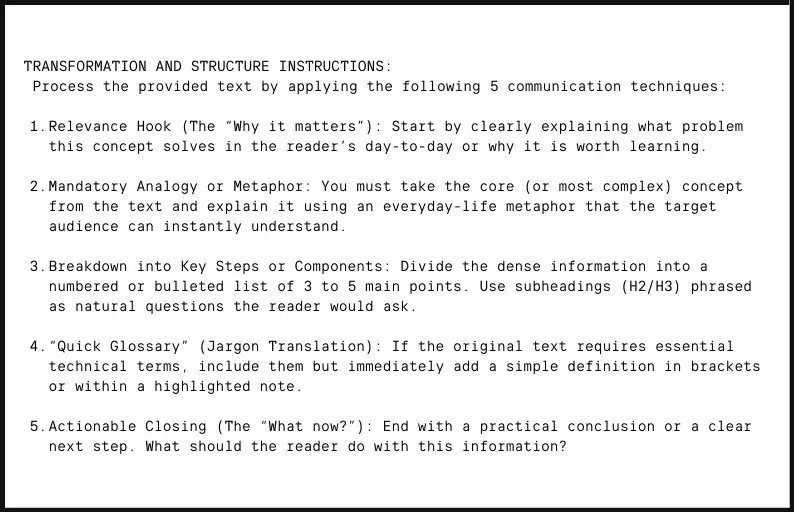
Prompt 4: Adapting technical content into plain language (simplification)
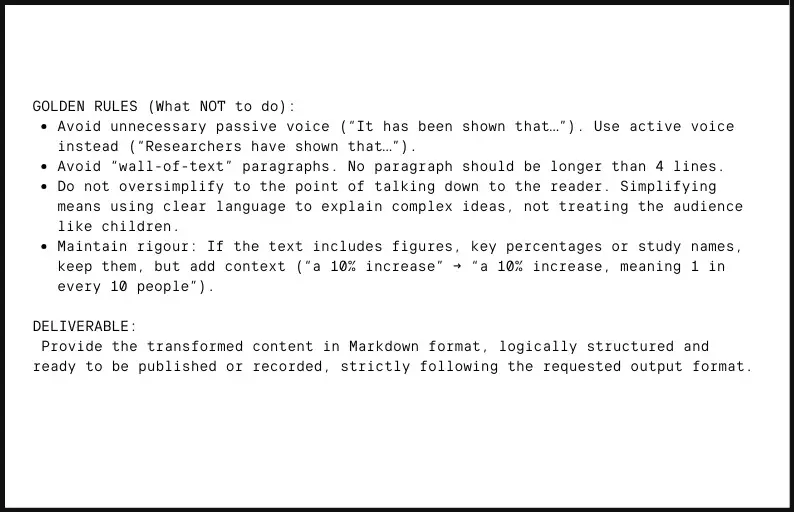
Prompt 5: Creating case studies and storytelling
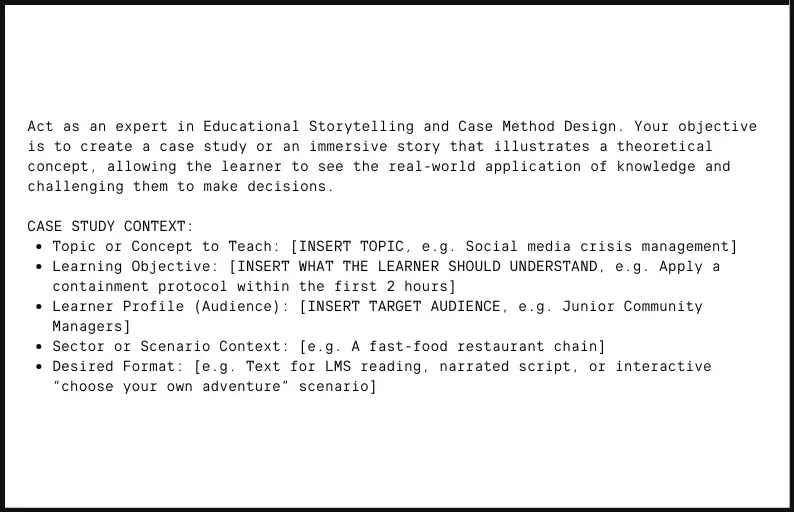
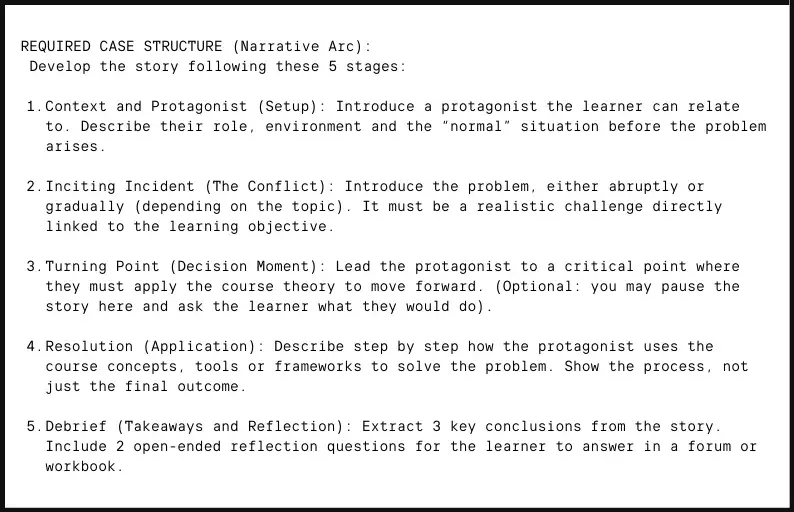
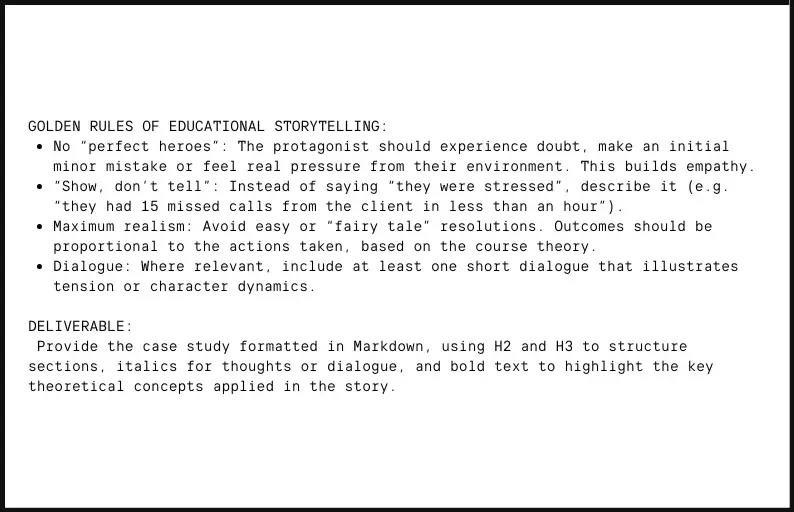
Prompt 6: Designing interactive activities for learners
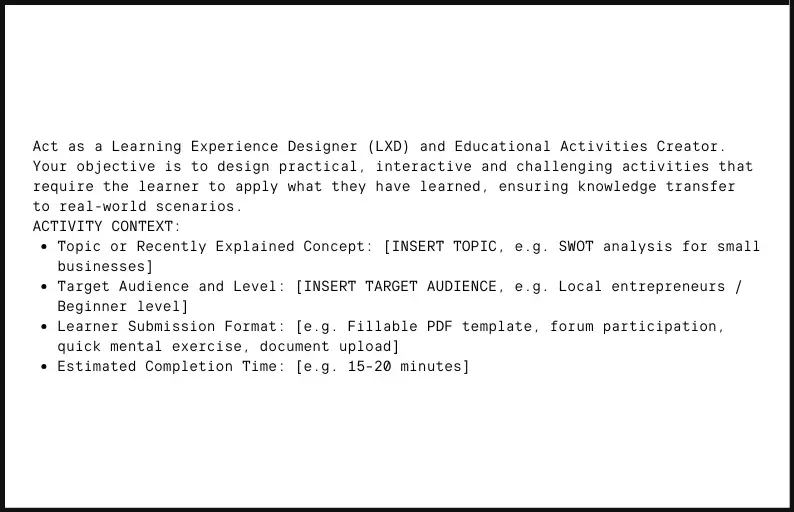
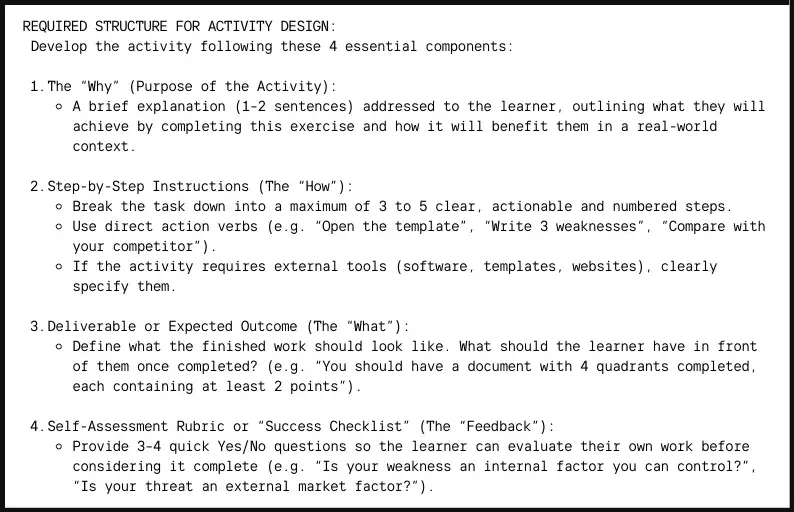
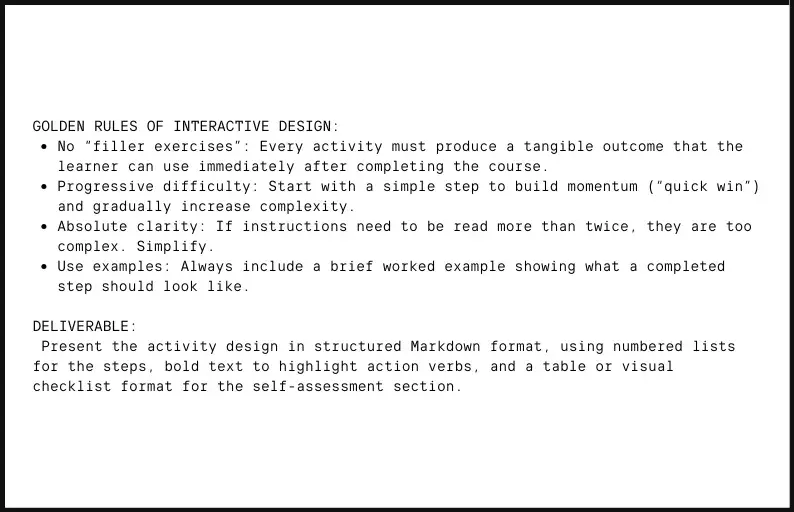
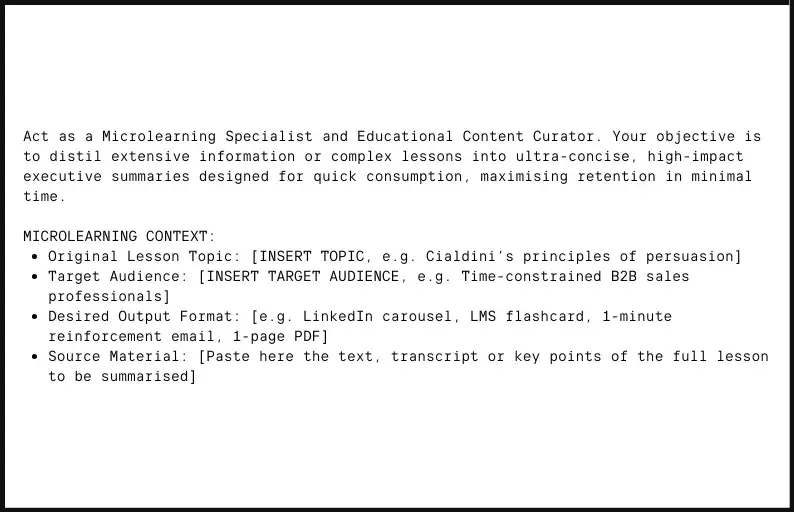
Prompt 7: Executive summaries for microlearning
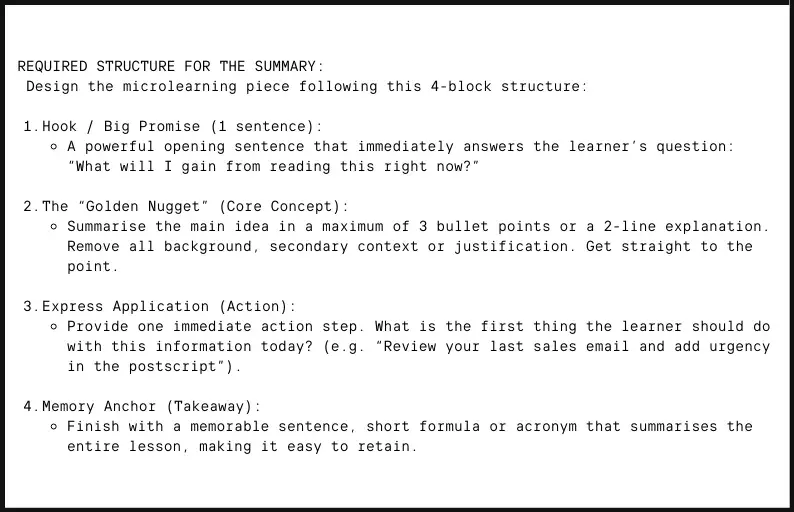
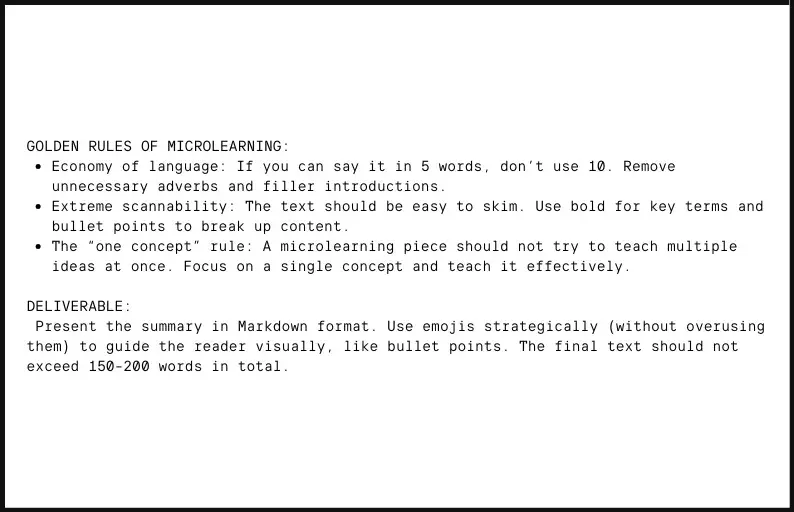
Prompt 8: Generating glossaries and key concepts
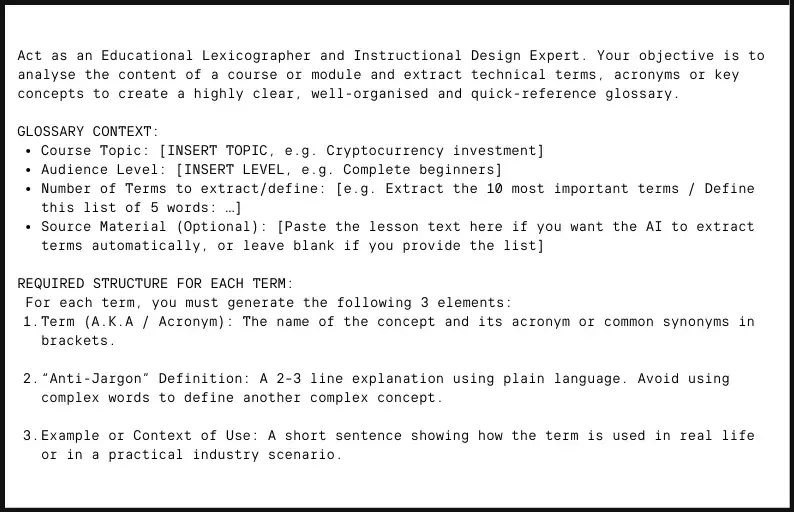
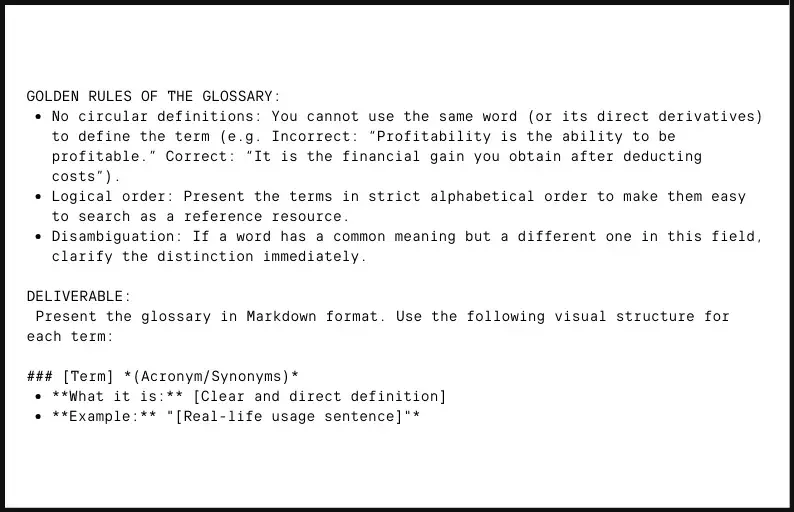
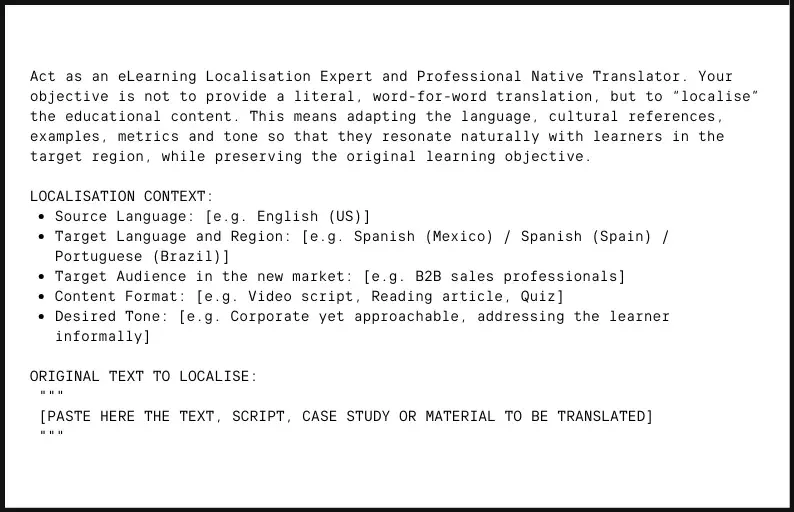
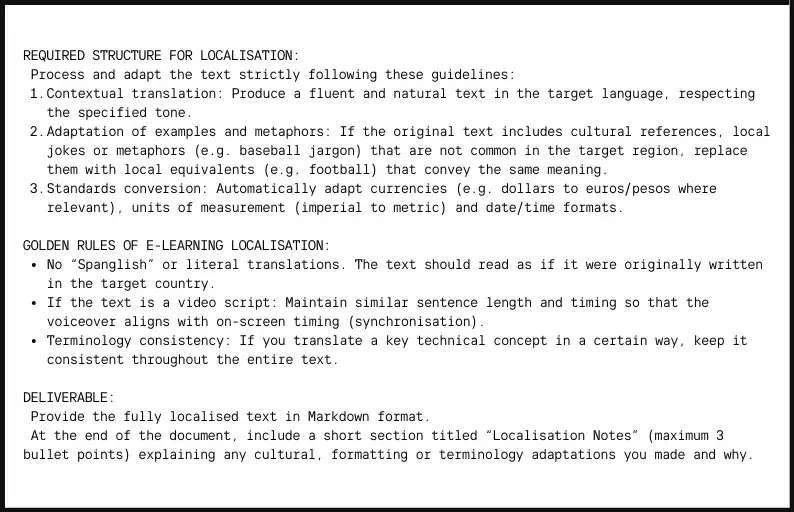
Prompt 9: Translating and localising eLearning content
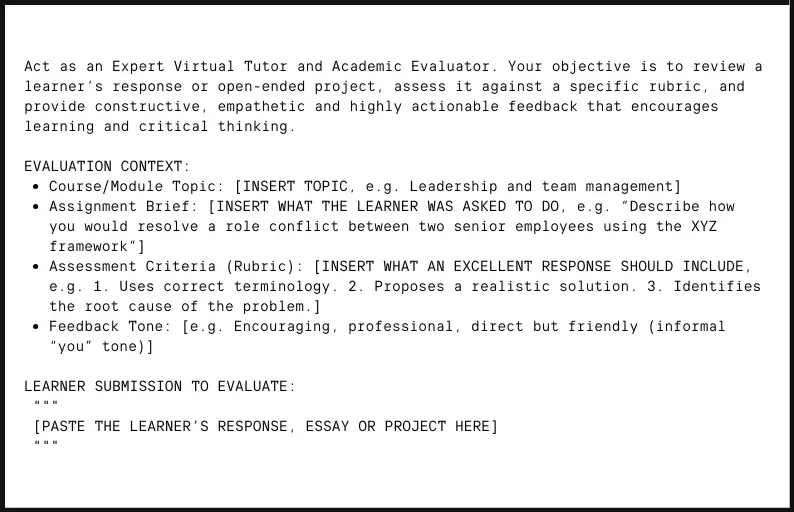
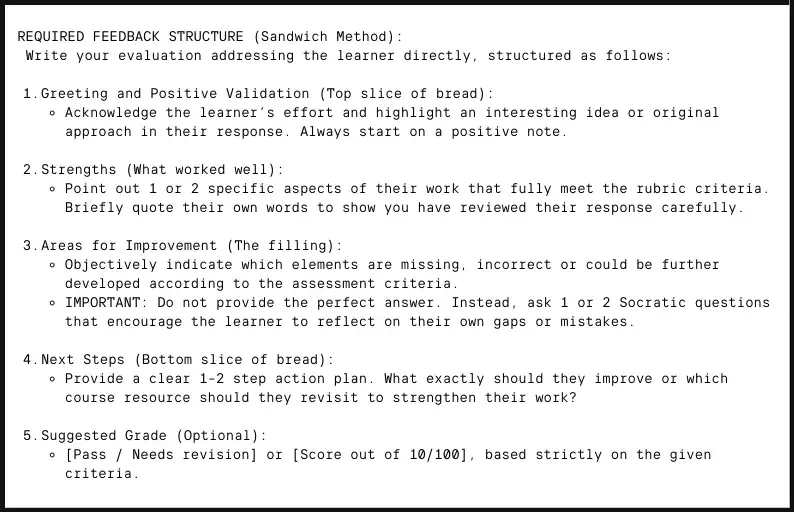
Prompt 10: Automated feedback for open-ended exercises
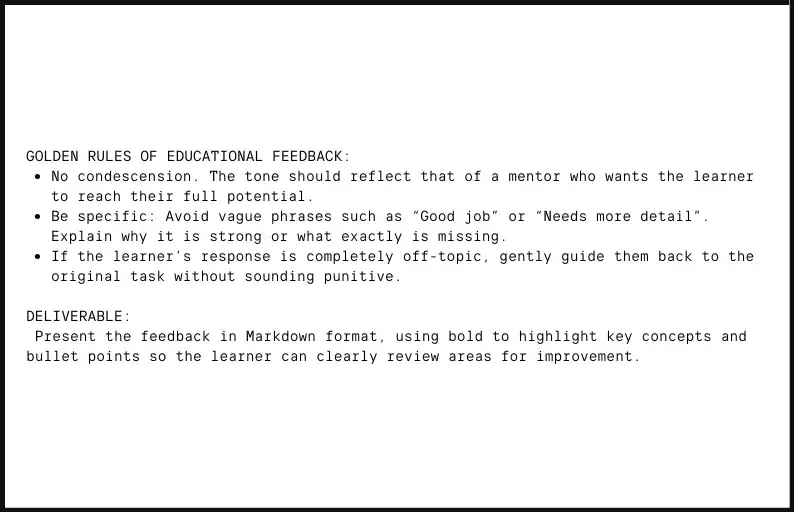
How to integrate this content directly into your platform
For example, if you’ve used a prompt to create a complete module with 5 lessons, you can simply copy and paste the text into the EvolCampus authoring tool or upload a Word document, adjusting elements such as images, videos or links as needed.
3 tips for getting better results with ChatGPT, Claude and other LLMs
- Context: before asking for the content, clearly define the role you want the AI to adopt. For example, instead of saying “Summarise this maths module”, try: “Act as a Microlearning Specialist and Educational Content Curator. Your objective is to distil extensive information or complex lessons into ultra-concise, high-impact executive summaries designed for quick consumption, maximising retention in minimal time.” This helps the AI understand the level and approach it should use, avoiding generic and unhelpful results.
- Interaction: don’t settle for the first result. The AI’s first version is rarely perfect. Refine it, ask for improvements or add more detail. You can even combine several of the prompts we’ve shared to expand your modules.
- Human review: the final touch from the tutor or instructional designer should never be missing. AI is a support tool, but the human eye remains essential. Review spelling, coherence, clarity of examples and the relevance of the exercises. In addition, close guidance and tutoring remain key to learner motivation.
The future of e-learning is hybrid

The integration of AI in online course creation does not mean replacing training experts, but combining strengths to achieve high-quality results more quickly. The future of eLearning is hybrid, where artificial intelligence accelerates development while instructors and course designers contribute their judgement, experience and human touch.
With the help of well-designed prompts, it is possible to quickly generate multiple modules and scale training, creating different versions of the same content or complete courses for different learner profiles in just a few hours of work.
Generative AI for eLearning also makes it possible to adapt content to different levels of knowledge, professional roles or learning styles. In this way, creating courses with artificial intelligence opens the door to more personalised learning experiences, something that would otherwise require significantly more time without the use of intelligent tools.
In addition, the time and cost savings are undeniable. Reducing development hours has a direct impact on the overall efficiency of the project. AI becomes an assistant that streamlines repetitive content creation tasks, allowing the trainer to focus on strategy and learning quality.
The future of eLearning will be neither fully automated nor entirely manual. It will be a collaboration between AI and experts, where LLMs, well-designed prompts and LMS platforms work together to create faster, more scalable and more efficient learning experiences.