The online learning for seniors is still, for many, a space that creates distance, insecurity and even rejection. Not due to a lack of interest or ability, but because much of today’s digital training has been built without considering their pace, their references, or their previous relationship with technology. When the digital environment feels confusing or demanding, learning stops being an enriching experience and becomes an unnecessarily complex challenge.
This perception has direct consequences. If technology for seniors generates insecurity or fear, learning comes to a halt. Not because of a lack of interest, capability, or life experience, but because the design, language and pace of many digital solutions are based on assumptions that exclude those who didn’t grow up surrounded by screens.
Talking about online learning for seniors goes far beyond simply transferring content into a digital format or using a specific eLearning platform. It means rethinking how we teach, from where we do it, and for whom we are truly designing.
This is where e-learning can become a bridge rather than a barrier. A well-designed platform, based on accessibility, clarity and support, has the potential to transform how older learners relate to technology for seniors, restoring their confidence and independence throughout their learning journey.
This article is grounded in a clear belief: digital training should leave no one behind. The key question we must ask is how to adapt courses, content and platforms so that inclusive digital training becomes a tangible reality in learning centres and academies – not just a statement of intent.
The challenge of teaching technology to those who didn’t grow up with it

Teaching technology for seniors means, first and foremost, recognising that the main challenge isn’t technical, but emotional and experiential. Older learners don’t have the same relationship with digital tools as those who’ve grown up using screens since childhood – and any training programme that overlooks this reality risks provoking rejection, frustration, or early drop-out.
That’s why approaching digital learning for this group requires a shift in perspective: it’s not about “catching up”, but about learning from a different starting point, with different rhythms and expectations. And this may be one of the biggest challenges of distance learning for seniors.
When we talk about seniors and new technologies, it’s easy to fall into oversimplifications, attributing difficulties to an assumed lack of ability.
But the reality is far more complex.
Many older people have developed, over decades, highly valuable professional, social and cognitive skills – yet they’re faced with digital environments that don’t align with the way they learn.
Cluttered interfaces, unintuitive flows or unclear messages generate a constant sense of insecurity. This discomfort doesn’t come from disinterest, but from fear: fear of making a mistake, of “breaking something”, of being exposed or of not living up to expectations.
On top of this emotional barrier comes the visual and cognitive overstimulation typical of many digital platforms.
Pop-ups, unrecognisable icons, long texts with small fonts or poor contrast, and overly technical terminology assumed as obvious, all turn the learning experience into an exercise in endurance.
The issue isn’t that the older learner doesn’t understand the content, but that they must invest too much energy deciphering the environment before they can even focus on learning. In this context, learning stops being inspiring and starts to feel like a burden.
Another major challenge lies in the pace. Online learning often moves quickly, with rigid sequences and limited timeframes that prioritise productivity over understanding. For many older learners, this can be discouraging. They need time to explore, repeat, go back, and confirm they’ve understood each step. When the platform or trainer doesn’t provide that space, it reinforces the feeling of “this isn’t for me” – an invisible barrier often more limiting than any actual technical difficulty.
We need to stop and ask a key question: do seniors truly not know how to use technology, or has technology simply not been designed with them in mind?
Most digital environments are built on assumptions of prior familiarity, fast responses and high tolerance for error. But when we approach technology for seniors from an analogue background, these assumptions clearly don’t hold.
Online learning for this audience needs clarity, calm and confidence as core principles – not optional extras.
From the perspective of training centres and content designers, taking on this challenge means shifting the mindset. Teaching with technology for seniors doesn’t mean dumbing down the content to the point of irrelevance – it means removing the noise that blocks access to learning.
When digital environments support rather than demand, and when design respects the learner’s pace, their relationship with technology transforms. And that’s the point where online learning stops being a source of anxiety and becomes a true tool for autonomy and empowerment.
In short, it’s not that seniors don’t know how to use technology – it’s that technology wasn’t designed for them. But it is entirely possible to do things differently and create online courses that are truly inclusive.
What should an LMS platform offer for older learners?

LMS platforms for seniors must prioritise accessibility, clarity, and trust from the very first interaction, as the technological environment directly affects their willingness to engage in learning. When a platform is intuitive and consistent, the senior learner doesn’t have to “fight” with the tool and can instead focus their energy on understanding the content. In this way, an LMS designed with this audience in mind supports learning without becoming a test of digital endurance – aligning with the principles of inclusive LMS platforms and truly inclusive digital training.
Designing an appropriate elearning platform for seniors means understanding that user experience isn’t a secondary concern, but the foundation on which the entire learning process is built. The technology must support, guide, and instil confidence – especially during the initial interactions, when the emotional connection with the digital environment is being formed.
Below, we explore the key elements that turn an LMS platform into an accessible tool for older learners.
Clean interface and large buttons: easing the first digital interaction
A clear interface, well-organised and visually predictable, is essential for reducing the initial sense of disorientation.
In digital platforms for senior learning, buttons should be visible, well spaced, and use clear labels – avoiding ambiguous or overly abstract icons. When the learner can quickly identify where to click and what will happen next, the fear of making mistakes decreases and their sense of control over the tool increases.
Additionally, a clean interface helps prevent cognitive overload. Fewer elements on screen doesn’t mean fewer features – but rather better information hierarchy, which is key to ensuring the learning process isn’t disrupted by unnecessary distractions.
Contrast, readability and scalability for effortless reading
Typography and colour contrast care is one of the pillars of accessible elearning design.
Clear fonts, sufficiently large text sizes, and colour combinations that support readability allow the learner to focus on the content without needing to strain visually.
Likewise, the ability to adjust text size or zoom into the interface provides a more personalised experience, respecting different visual abilities without requiring technical know-how.
These kinds of design decisions send a powerful implicit message: the platform adapts to the person, not the other way around. With this perception, learners feel more confident and are more likely to continue with their learning journey.
Guidance and support within the platform: learning without fear
An LMS platform for seniors should incorporate visible and accessible help options at all times.
Small guides, contextual messages or brief tutorials allow learners to explore the platform independently without triggering anxiety. It’s not about constant supervision, but about offering learners a safety net they can rely on when needed.
When the platform explains what is happening and what is expected from the user, one of the main barriers to digital learning – uncertainty – is removed. This is especially valuable in learning environments managed through a training centre LMS platform, where diverse learner profiles coexist and operational clarity is essential.
Compatibility across devices and experience levels
Older learners access online learning for seniors through a wide range of devices – often using equipment that isn’t the latest generation, and frequently connecting via basic smartphones.
For this reason, LMS platforms for seniors must work seamlessly across computers, tablets, and basic mobile phones, without requiring complex configurations or additional installations. Technical compatibility isn’t a minor detail – it’s a fundamental condition for ensuring equal access.
Additionally, platforms must recognise that not all users have the same level of digital experience. Offering clear pathways, reversible actions and consistent navigation allows each learner to progress at their own pace, without feeling penalised for where they started.
Certified accessibility and AA standards: when inclusion becomes real
Talking about digital inclusion and accessibility in e-learning means relying on objective criteria.
The WCAG level AA (Web Content Accessibility Guidelines) is the most widely recommended standard to ensure platforms are usable by most people with visual, auditory or cognitive impairments, addressing common barriers like colour contrast, scalable text size or simple navigation.
For senior learners, these features are essential for learning with comfort and autonomy.
Meeting this accessibility level means going beyond the bare minimum and removing major obstacles through design. This isn’t an exceptional requirement: in Spain, it’s mandatory for public institutions and increasingly seen as a reference point in the training sector. For centres, it provides trust and credibility; for learners, it conveys confidence and respect.
Ultimately, an LMS adapted for older learners is built on coherent design and usability choices that make technology more predictable and easier to understand. When the digital environment supports rather than overwhelms, the platform stops being a barrier and becomes a true ally in the learning process.
How to design online courses tailored for older learners: tips for content creators
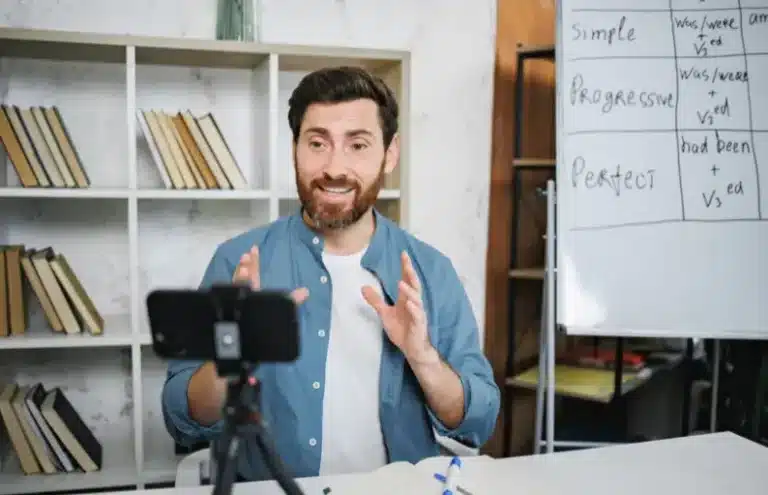
Designing courses for seniors means adapting content, pacing, and methodology to the way older people learn and interact with digital environments. Once the platform provides a clear and accessible foundation, the focus must shift to how learning materials are structured to ensure that the experience is understandable, engaging, and sustainable over time. Here, we’re not talking about technology itself, but about digital pedagogy applied to a specific reality: people with life experience, their own motivations, and a cautious relationship with new technologies for seniors.
Unlike other learner profiles, senior learners often place particular value on the practical usefulness of what they’re learning, the coherence of the learning path, and the sense of gradual progress. For this reason, the design of digital course content for seniors should avoid information overload and instead follow a clear narrative that guides step by step and builds the learner’s confidence at each stage.
Clear and approachable language in digital learning for seniors
Language is one of the most decisive elements in the learning experience.
In inclusive digital training, using clear, direct, and contextualised vocabulary helps reduce the distance between the content and the learner. Avoiding unnecessary jargon, poorly explained abbreviations or excessive anglicisms improves understanding and prevents learners from feeling out of place from the start.
Additionally, explaining concepts through everyday examples connects learning with the learner’s life experience. When the content relates to familiar situations, technology stops feeling abstract and instead becomes naturally integrated into daily life.
Paced rhythm and structured flow in online courses for older learners
The learning pace is a key factor in ensuring continuity. In courses for seniors, a calm structure with well-defined content and clear objectives allows learners to absorb information without added pressure.
Micro-content, step-by-step explanations, and the ability to resume learning at any time help consolidate knowledge and reduce feelings of overload.
Likewise, intentional repetition and positive reinforcement serve a vital pedagogical function. Revisiting key ideas from different angles isn’t redundant – it’s supportive.
This kind of structure respects the learner’s timing and strengthens their confidence in their own learning process.
Balanced audiovisual support: seeing, hearing and understanding better
The use of audiovisual resources can significantly enrich learning when applied with care. For senior learners, it’s important that videos, audio and images serve the content – not distract from it.
A clear narration, an appropriate speech pace, and well-lit visuals help understanding and reduce cognitive effort.
In addition, offering alternatives to the main content – such as subtitles or complementary explanations – allows each learner to choose the format they find most comfortable.
This balance makes the course feel more accessible and respectful of different learning styles, without requiring advanced knowledge of technology for seniors.
Active and practical learning to build digital autonomy
Older people learn best when they can apply what they’ve learned immediately.
That’s why designing guided practical activities is essential in online courses for seniors. Step-by-step exercises, simple simulations or tasks with a clear goal help consolidate knowledge and strengthen the sense of achievement.
This practical approach isn’t about perfection – it’s about progressive autonomy. Being able to complete a specific action independently transforms the relationship between seniors and new technologies. Learning moves beyond theory and becomes a useful tool in everyday life.
Safe community spaces in online learning for older adults
The social aspect of learning holds special value in training aimed at older learners. Having well-moderated spaces for interaction – like forums to ask questions, share doubts or comment on progress without fear of judgement – reinforces engagement with the course and combats feelings of isolation.
These spaces should be designed with simplicity and clarity, encouraging thoughtful reading and participation rather than urgency. When the community feels like a safe environment, the learning process becomes richer and more human – aligned with the aim of bringing digital platforms for senior learning closer to an audience that values support just as much as content.
Altogether, designing online courses for seniors means understanding that accessibility doesn’t stop at the platform itself. True impact comes when content, language and methodology align to offer a respectful, useful and motivating learning experience – one that integrates technology naturally into the learner’s life, without unnecessary friction.
How to create inclusive digital courses for older learners

Creating inclusive digital courses for older learners means applying the principles of inclusive digital training and accessible elearning design from the very beginning of the project – systematically and intentionally. It’s not about adapting an existing course “at the end”, but about designing it from the outset – pedagogically, visually and communicatively – so that anyone can learn independently, confidently, and at their own pace, regardless of their digital starting point.
When we talk about inclusion in this context, we’re referring to anticipating the most common barriers found in courses for seniors: visual impairments, uncertainty around digital interaction, slower learning rhythms, or the need for clear and consistent reference points. An inclusive course is one that doesn’t require the learner to struggle with the interface before they can focus on learning.
Below are the main recommendations that help bring these principles into the daily practice of instructional designers, educators and training centres.
Key recommendations for designing inclusive courses for older learners
| Category | Recommendation |
|---|---|
| Typography | Legible font, minimum size 16 px. Use clean, sans-serif fonts with a minimum size of 16 px and adequate line spacing to support continuous reading. |
| Contrast | Light background, dark text or vice versa. Light backgrounds with dark text, or equivalent combinations, to ensure comfortable reading without visual fatigue. |
| Language | Short sentences, no jargon. Short, well-structured sentences without unnecessary technical terms, prioritising direct explanations and everyday examples. |
| Pacing | Micro-lessons between 3 and 5 minutes to allow for gradual progress and flexible, pressure-free learning. |
| Navigation | Large, clear, visible and consistent buttons across all screens, with clear and easily reversible actions. |
| Audio and video | Subtitles and slow narration. Audiovisual content with subtitles, slow-paced narration, and no background music that might interfere with comprehension. |
| Interaction | Positive feedback and visual reinforcement to confirm progress and reduce anxiety around making mistakes. |
| Community | Safe spaces to share. Simple, well-moderated participation spaces that encourage trust and exchange without unnecessary exposure. |
These recommendations should not be seen as a closed checklist, but rather as a foundation for building coherent learning experiences.
When applied together, they ensure that online courses for senior learners truly respond to their real needs and reinforce their sense of control and understanding throughout the entire learning journey.
Moreover, integrating these principles makes it easier to adapt content to different profiles within the older adult community, avoiding rigid solutions that force everyone to learn in the same way.
In this sense, inclusive design doesn’t standardise – it broadens access to learning.
Ultimately, creating inclusive digital courses for older learners means recognising that accessibility is not a technical add-on or isolated legal requirement. It’s a pedagogical decision that informs the language, pacing, interaction, and the way we support each learner.
Barrier-free online learning: an opportunity to leave no one behind

Barrier-free online learning is essential to ensure truly accessible online learning for seniors. Throughout this article, we’ve seen that inclusion doesn’t depend on the individual effort of senior learners, but on how courses are designed and the platforms that make them possible.
And we’ve reached a clear conclusion: when the digital environment supports the learner, learning once again becomes a safe and motivating experience.
Accessibility in e-learning shouldn’t be treated as an afterthought, but as a cross-cutting design principle. Thinking about older adults forces us to rethink design, language and pacing – and that reflection improves the experience for everyone.
Choosing inclusive LMS platforms means recognising that technology should adapt to people – not the other way around.
EvolMind and the design of accessible e-learning environments
EvolMind has developed its e-learning ecosystem based on a clear principle: digital learning should adapt to people – not the other way around. Through its eLearning platform, training centres can create coherent, accessible, and easy-to-manage learning experiences without forcing learners to navigate complex interfaces or confusing processes. This philosophy is especially relevant when working with groups that require more thoughtful design – such as in education for older learners.
Among the features that enhance accessibility in the eLearning platform are simple navigation, visual consistency across screens, and the ability to structure content clearly and progressively. These characteristics ensure that courses maintain a manageable pace and reduce friction at every stage.
From a centre’s perspective, having a versatile LMS platform for academies makes it easier to tailor the educational offer to different learner profiles, without compromising on pedagogical quality or accessibility standards.
Additionally, EvolMind allows for the integration of audiovisual resources, assessments, and communication spaces in a structured way – fostering a learning experience that supports rather than pressures the learner to adapt constantly.
This level of personalisation is key to advancing towards LMS platforms for seniors that respect the pace, capabilities, and life experience of older learners. At the same time, it helps consolidate inclusive digital training models that benefit all types of learners – not just seniors.
An opportunity to raise the standard of e-learning
Designing with older learners in mind doesn’t restrict – it expands. Many of the barriers faced by senior learners are also experienced by others with limited digital familiarity.
It’s important to remember that the same obstacles that affect older adults also impact other groups: learners with low digital literacy, those with temporary visual impairments, or users simply seeking a clearer and more human learning experience.
Investing in digital platforms for senior learning therefore means raising the overall standard of e-learning and addressing some of the biggest challenges of distance learning faced by training centres today.
Ultimately, barrier-free online learning isn’t a passing trend – it’s an opportunity to rethink e-learning from a more human perspective. When technology supports rather than imposes, learning becomes accessible to everyone, regardless of age or digital starting point.
Frequently asked questions about online learning and technology for seniors

What features should an e-learning platform for older adults have?
How can we design online courses for older adults with no digital experience?
What are the benefits of online learning for seniors?
Which LMS platforms are best suited to older learners?
Is human support necessary in online learning for seniors?
Does inclusive design for seniors also benefit other learners?
Absolutely. Applying accessible elearning design principles improves the experience for everyone — especially for people with low digital literacy, temporary visual difficulties, or limited time to study. Designing with seniors in mind helps raise the overall standard of inclusive digital training.